Dual channel drives are used in big SANs which have dual controllers for increased availability even if/when a controller dies. Then the B controller will take over all the traffic while you swap out A controller.
To address other various bits upthread…
As a data center tech, a big part of job is to swap out bad drives when they go amber. SSD’s CAN just die without warning, but as bad as they used to be. Traditional drives can too, but not as often.
As better tech becomes available, generally we’ll either just replace one disk at a time, or just buy a whole new system and retire the old. Not much middle of the road, upgrading a current system a shelf at a time thing.
The trend is absolutely going towards more 2.5" drives. Mostly SAS. Some FC. Depends on what that system is needed for. Lots of SANs will have different tiers. A few loops/shelves of super fast SSD drives, a bunch of 10 or 15k rpm drive loops/shelves, tons of older/cheaper 3.5" high capacity but slower drives, then sometimes even still tape.
Individual servers can have SATA drives too. Usually the cheapo systems that aren’t mission critical.
There are a variety of SAS connection standards, but the most common one is sort of like the SATA data and power connectors in one piece. You can’t connect standard SATA connectors to such a SAS drive (and of course it doesn’t do you any good if you could).
Note that the latest SAS-4 standard has speeds of 22.5 Gbit/s. Another note is that SAS is full duplex and SATA is half-duplex. Plus quite a few other nice features.
An important point to note - by running RAID - multiple disks with data spread across them - the overall throughput is faster. SO SAN units and large single servers tend to use RAID (redundant array of disks) and spread the data across them. When reading or writing, a matching sector is read from each of 3 or more disks. One of these sectors is “redundant”, a checksum to ensure that the data is consistent - this check can be done by dedicated hardware so does not significantly slow down the overall throughput. So by reading data from multiple disks simultaneously, the system can read far fasted than a simple PC reading a single disk. Checksum means the data is far more reliable - and if a disk fails, a replacement can be rewritten with the correct content from the surviving disks to restore redundancy. High end disk systems also have better monitoring of disks for reliability problems, giving advanced warning of impending failure.
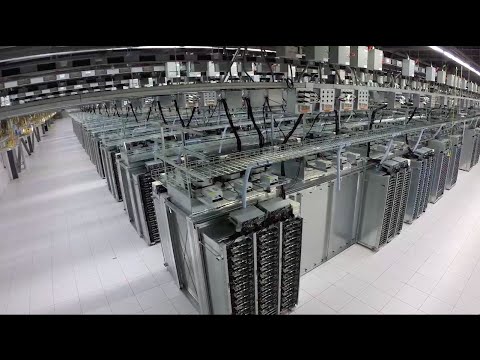
They use thousands of 3.5" SAS hard drives, packed tightly in special racks. Here is a frame grab of a single drawer of 8TB Seagate SAS drives, total of 42 drives per drawer (336 TB). You can have maybe 8 drawers per rack and of course multiple racks. At 8TB per drive that’s about 2,600 TB (2.6 petabytes) per rack, unformatted capacity.
3.5" SAS drives are available in 16TB now, and I think 20TB is close. So all the above numbers could be multiplied by 2x using the latest drives – 672 TB per drawer, or 5,200 TB (5.2 petabytes) per rack, unformatted.
Not in my world. RAID 5 may be slower for writes than other configurations, but the throughput (IOPS) is higher. I typically run volumes of 12x 10K SAS disks in RAID 10 and I get roughly 6x the IOPS of a single disk.