I use column view, too, by default. Are we all talking about the same thing?
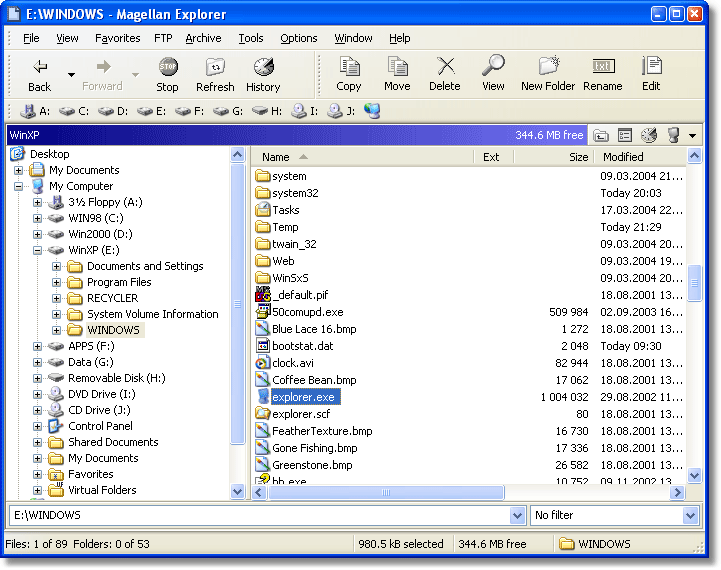
Say I want to move “CoffeeBean.bmp” to an arbitrary subfolder on the G: drive, say G:\Document Backups\Pictures. How do I do this in OS X without opening two windows?
I use column view, too, by default. Are we all talking about the same thing?
Say I want to move “CoffeeBean.bmp” to an arbitrary subfolder on the G: drive, say G:\Document Backups\Pictures. How do I do this in OS X without opening two windows?
Yes and no.
I allows the same end result, without having to keep the mouse button held down, thereby allowing file system navigation before the final paste.
Cutting and pasting files was never implemented on the Mac because it’s inconsistent with the Desktop Metaphor. With text or graphics, cut and paste (or copy and paste) makes perfect sense - an object is selected, and then either removed (via cut) or copied and placed on the clipboard, for later retrieval. When something is “cut,” it is removed immediately - the user instantly knows that the object has been removed from the document. If the user never pastes it, it’s gone forever.
In Windows, file cut-and-paste doesn’t work that way. When a file is cut, it stays right where it is, until it is later pasted into a different location, at which point the original file is removed, and moved to it’s new location. Since the cut only occurs AFTER the paste, the metaphor is messed up. Now, it would certainly be possible to cut the file immediately, but what happens if a) the user forgets to paste it. or b) there isn’t enough room at the final destination? Because of these reasons, Apple has always decided that the downsides to file cut-and-paste are not worth the minimal benefits. Note that OS X DOES implement file copy-and-paste.
I’ve had Macs for almost four years now, and this still irks me. Maybe there’s a really obvious solution I just haven’t figured out–I’ve been known to miss the bleeding obvious before.
edit: beowulff - I could actually live without cut-and-paste. It’s a shortcut I find intuitive and useful, but I could see it being something only a small minority of users would care about or use. The other one is a little more of a real complaint from me.
Like I said, it’s not identical.
It works similar to Windows for files / folders on the same volume.
And even there it’s a bit annoying if you have a large directory tree to navigate. No matter, it’s usually photos I’m moving around, and Adobe Bridge has a Windows-like interface for this, so it works out okay.
Well, I’m not at my work computer right now, but I will check whether it works in that way. I really hope so since I’m rather sick of the current cumbersome procedure. But I’m afraid that it probably won’t work, as I regularly (as I recall) try different sorts of click in the vain hope it will work now. I know Windows can do it (my own Windows computer does it).
This is really like the stupid windows engineer joke, giving you correct information which is completely useless or irrelevant! Why can’t someone tell me what happened at my work computer and why the administrators have apparently blocked that option? Or how to change it back? Furthermore this whole issue is beside the point, as I said and you implicitly confirm by not disputing it: even the shorter Windows way is more cumbersome as even BigT acknowledged it is one more click (and selecting in a menu).
In fact, this whole discussion seems to push me further in the Mac camp, as the Windows defenders have not once acknowledged the argument I’ve been trying to put forward, instead being, let’s put it friendly, impolite and rude. Again that is quite like the Windows attitude I dislike.