# Stuck taking apart my HP G61 laptop
**URL:** https://boards.straightdope.com/t/stuck-taking-apart-my-hp-g61-laptop/604473
**Category:** Factual Questions
**Created:** [November 29, 2011, 6:29pm UTC](https://boards.straightdope.com/t/stuck-taking-apart-my-hp-g61-laptop/604473 "2011-11-29T18:29:52Z")
**Posts on this page:** 6
**Page:** 1
### Author:  [@Ponderoid](https://boards.straightdope.com/u/Ponderoid)
#### Post date: [November 29, 2011, 6:29pm UTC](https://boards.straightdope.com/t/stuck-taking-apart-my-hp-g61-laptop/604473/1 "2011-11-29T18:29:52Z")
The fan in my HP G61-429WM notebook died. It’s well out of warranty, so I ordered a new one and I’m tackling the job myself. I don’t have the money to pay a professional to do it, and I can’t call HP tech support to ask them questions without paying them.
Now I’m trying to take the censored thing apart to get at the fan assembly to replace it. Oh, bother! I have to disassemble the thing almost completely to get at the fan.
I googled and found two different PDF maintenance manuals online for the G61 series, neither of which apparently is the exact correct one for my specific model, the 429WM.
> **[c01868653.pdf](https://h10032.www1.hp.com/ctg/Manual/c01868653.pdf)**
[http://bizsupport1.austin.hp.com/bc/docs/support/SupportManual/c01740724/c01740724.pdf](http://bizsupport1.austin.hp.com/bc/docs/support/SupportManual/c01740724/c01740724.pdf)
The two manuals don’t actually say they are for a specific model within the G61 series that I’ve found while searching through them. They have different publication dates, and the diagrams and details for how to take apart the cases differ slightly in their descriptions of the screw arrangements and how to pull the plastic thingamabobs apart. I’ve worked through minor problems here and there, having to puzzle out how to get the clips holding the plastic pieces together to disengage since I don’t think either manual is the right one.
I’m now on page 4-31, working on step 5 of removing the top cover. Both manuals say:
“5.Lift the rear edge of the top cover until it disengages from the base enclosure”
It ain’t happening. The pieces are still stuck together. Yes, I’ve taken out every single visible screw at this point. The picture of the top cover at this point doesn’t match the part I see in my model; in particular, the round and square holes in the cover immediately to the left of the circled number 1 on the diagram aren’t in my cover.
I’ve taken a flat screwdriver and carefully stuck it in various places around the seam, to try to pry the pieces apart. It won’t even fit in in most places around the case. I get the most success at the back along the edge where the display hinge was, I can pry that edge pretty far apart without breaking anything, but the cover is still well-attached at the corners.
What do I do now? Can anyone help me find the right version of the manual?
\*\*\* Ponder
---
### Author:  [@JSexton](https://boards.straightdope.com/u/JSexton)
#### Post date: [November 29, 2011, 11:24pm UTC](https://boards.straightdope.com/t/stuck-taking-apart-my-hp-g61-laptop/604473/2 "2011-11-29T23:24:40Z")
OK, in the diagram I see, there a couple of little tabs poking straight down from the rear edge of the top cover. Those are probably barbed to hold it in place, and are what are interfering right now. Try twisting the rear edge outward slightly to disengage the barbs. I sometimes use a thick guitar pick to get those bezels off, too. They are frustrating as hell.
---
### Author:  [@Ponderoid](https://boards.straightdope.com/u/Ponderoid)
#### Post date: [December 1, 2011, 4:29am UTC](https://boards.straightdope.com/t/stuck-taking-apart-my-hp-g61-laptop/604473/3 "2011-12-01T04:29:47Z")
Thanks for the response! Unfortunately, those clips you saw in the diagram were already disengaged at that point when I was prying that edge apart. And there were three clips, not two as shown. The cover was still held at the corners. However, your answer plus my increasing exasperation inspired me to start poking harder and I found more clips that looked entirely different embedded in the corners that I finally managed to trigger.
This would be going much better if I had the correct version of the manual. HP’s website is not easily navigable; I only found those two PDFs with a google search. I think I might be able to convince HP’s site to show me the right manual if I knew its exact part number, but I don’t.
On to the next step. Thanks again for helping; I’ll come back to this thread if I get stuck again. Which will probably happen about 2 minutes after I walk back to the computer to start working on it again…
\*\*\* Ponder
---
### Author:  [@ducati](https://boards.straightdope.com/u/ducati)
#### Post date: [December 1, 2011, 4:06pm UTC](https://boards.straightdope.com/t/stuck-taking-apart-my-hp-g61-laptop/604473/4 "2011-12-01T16:06:04Z")
I’m taking an HP laptop apart right now.
try here first…
[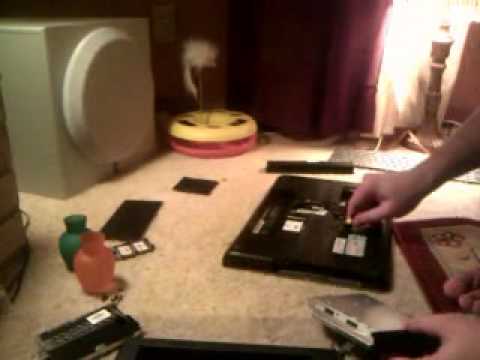 ](https://www.youtube.com/watch?v=aKZmyed-3gY)
this one stops at removing the keyboard, but will show you the steps to get to that point in case you need that help.
> **[How to replace keyboard on Compaq Presario CQ61 or HP G61](https://www.insidemylaptop.com/replace-keyboard-compaq-presario-cq61-hp-g61/)**
>
> In this guide I explain how to remove and replace keyboard on Compaq Presario CQ61 or HP G61 laptops. Compaq Presario CQ61 is similar to HP G61. Before you start, make sure the laptop is
good luck!
---
### Author:  [@steevg](https://boards.straightdope.com/u/steevg)
#### Post date: [October 10, 2012, 4:07pm UTC](https://boards.straightdope.com/t/stuck-taking-apart-my-hp-g61-laptop/604473/5 "2012-10-10T16:07:36Z")
hello, due to limited finances i have also attempted to replace the cooling fan myself.
i had no problem dismantling the notebook, and fitting the fan. when it was reassembled, i found that it would not switch on.
when i press the power button, nothing happens except the power light flashes 3 times.
could anyone please tell me what i have done wrong.
i am panicking because the kids will linch me if its not done soon.
please help
steevg
---
### Author:  [@drachillix](https://boards.straightdope.com/u/drachillix)
#### Post date: [October 10, 2012, 4:28pm UTC](https://boards.straightdope.com/t/stuck-taking-apart-my-hp-g61-laptop/604473/6 "2012-10-10T16:28:52Z")
> [@steevg](#):
>
> could anyone please tell me what i have done wrong.
You broke something, or neglected to plug something back in.
what model laptop?