Is there any way to modify the Dock settings so that the name of the program doesn’t pop up when you mouse over the icon? I find that really distracting when I’m working, and I certainly know what all the icons are for. Is this possible? Thanks in advance.
I can’t say for sure it’s impossible, but things aren’t looking good.
There’s no such option in the Dock preferences user-interface, as you’ve probably noticed. Also, browsing through the “com.apple.dock.plist” file, I don’t see a key-value pair that resembles such an option.
So I strongly suspect that the behavior is hard-wired. Sorry.
I’m not an expert, but I’d just hide the dock when you’re working.
YES!
Or you can just dispense with the thing altogether.
(Dockless since 10.0.3)
Oo, can I glom onto your question? Where do I set the preference for what default “Save” folder/location is chosen when I go to save? or open a file? I remember being able to specify “last used”, etc., in the past on other systems but now it just gives me My Documents as the default.
If you install DefaultFolder (really nice shareware) you can specify a different default folder for each application.
Sticking strictly with what the OS came with, you can drag the various folders you like to save things into over to the sidebar, when, when it comes time to save things, just click the folder you want.
I’m gonna glom another question onto this, too. Is there a way to batch print a bunch of PDFs? If I remember correctly, in OS 9 you could create a desktop printer icon, and drop stuff onto it to print. Is there a way to do anything similar in OS X?
Use Printer Setup Utility to create a printer icon on the desktop (select a printer then pull down the Printers menu to Create Desktop Printer). Dragging multiple pdf or plain text files onto the icon causes all the files to be automatically printed
Actually, in OS9 you could just select the files and go Command-P from within the Finder, or select “Print” from the “File” menu.
(OS X’s Finder has a “Print” menu item in its File menu also, but it appears to be busted for use if you have more than one item in the Finder selected. Shame)
So how do you quickly launch commonly used applications?
There are LOTS of launcher apps out there…I use [ vDragThing
beagledave:
Yeah, DragThing’s quite popular with lots of folk.
As for me, I use X-Assist, a good piece of freeware which joins a nice menu-driven, configurable application launcher (in the style & tradition of OtherMenu and Apollo and OnCue) with a MacOS 9-style application switching menu.
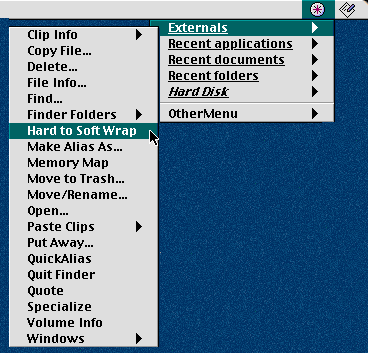

Another popular solution is FruitMenu, an Unsanity haxie that lets you customize the Apple Menu as you could from System 7 through MacOS 9. Easy enough to put a folder full of aliases to your favorite applications in there, and also an alias of your entire hard drive to make it easy to launch the less-often used ones as need be.