There are methods to open QR codes from photographs stored on the phone for both current iOS and Android versions, but they are a bit involved and you‘d have to look them up first.
This evening I had the most frustrating experience trying to order from Five Guys’ app, and website. You see, they had sent me a promo code for a BOGO burger, and that promo code had to be redeemed in the app or online. And I am frugal to a fault, so I couldn’t let that promo go to waste (and I was planning on getting takeout tonight anyway, so I was going to go to some restaurant anyway). So I decided to place an online order before leaving the office and pick it up on the way home.
Problem #1: In order for the promo code to work you have to add two burgers to your “bag”. Except simply adding a burger to your bag and then ticking the count up to 2 doesn’t work – it doesn’t recognize that as “two burgers” and doesn’t give you the discount. You have to add a burger, select your toppings, click add, then add another burger and go through that process again.
Problem #2: I wanted to pay with a gift card, because I can buy gift cards at a discount through my credit union’s website, and I told you I’m frugal to a fault. So I bought one and tried to pay with it. “Invalid gift card number or PIN”. Ok, I mistyped the PIN on the first attempt, and corrected it. “Gift card number is required”. Ok… I have clearly typed a number in that field. I deleted the number and typed it again. Same error. I double checked that I had entered the entire number. As far as I could tell I had. I gave up trying to use the gift card and just tried to pay with Apple Pay. “Payment failed. ‘Null’ is not a valid entry” (or something to that effect).
I gave up trying to order from the app and went to their website on my work computer. Placed the same order. Tried to use the gift card again. “Invalid gift card number or PIN” again. And this time I’d copy/pasted it from the e-gift card in another tab, so I couldn’t have mistyped it. Maybe it doesn’t like the spaces? So I removed all the whitespace. “Gift card number is required”. I could not get it to recognize that I had entered something in that field. I just gave up and tried to pay with a credit card. It still complained about the gift card number, even after I deleted the text from those fields. Finally I realized I had to click “remove” next to the gift card fields to make it stop attempting to use the gift card. Finally I was able to place my order.
I literally spent 30 minutes sitting at my desk at the end of the work day just trying to order some burgers.
I spent 45 minutes trying to order a burrito from Chipotle a few days ago.
They recently opened a new location close to my house, so I decided to download their app to get rewards and facilitate ordering.
Step 1: Attempt to download the app in a part of town with lousy cellphone signal.
Step 2: Register for an account. And this is where things went off the rails. You enter your email address, then it asked for a password. My phone suggested a strong password, and the account was created. My phone then inexplicably failed to save the password it just created, so I had to figure out to change the password. But every time I requested a password change, it took 5 minutes for the email to show up. Then I got an error when I tried to change the password. This went on for a while. But I finally got my free guacamole! 
Another poor fast food app design…in a hurry with hungry kids in the car, so decided to go through McD’s and toss some happy meals back to the rabid wolverines in the back booster seats. Thinking I’d save time, I picked a couple of Happy Meals from the “recent orders” to add to the bag. And there it all went wrong, due to the “recent order” containing a line item for a happy meal toy that had gone out of rotation and wasn’t orderable from the checkout screen. For some programming genius reason, this wasn’t screened out during the process, and the invalid line item in my checkout was not allowed to be manually deleted. I couldn’t clear my order out and start clean. So I eventually created a new McD’s profile under Mrs G’s email and rebuilt my happy meal order from scratch. 20-30 minutes parked on idle with hostile impatient kids to figure it out.
That’s pretty silly, heh (on McDonald’s part)
I’ve had similar problems with the McDonald’s App leaving stuff in from a previous order in the checkout page but since it’s a discounted item it’s impossible to eliminate.
There really should just be a CLEAR ALL IN CART button for every single fast food app as this has happened to me in multiple apps.
One I was just reminded of:
I wanted to go to the website of the Cleveland Public Library. So I start typing that into the search/URL bar, and suggested autocompletes start showing up. As soon as I had the “cle” typed, most of the auto-completes involved Cleveland in one way or another: OK, that makes sense, especially since Chrome/Google probably knows that I’m in the Cleveland area. None of the autocompletes was, specifically, “Cleveland public library”: OK, there’s only room for like ten things in the list, and I can buy that maybe the typical Clevelander doesn’t have the library in their top ten list of institutions. Not a problem: I’ll just go to the one that just autocompletes to “cleveland”, and continue typing from there.
Except, just “cleveland” isn’t one of the autocompletes. I can choose “Cleveland Guardians”, or “Cleveland Browns”, or “Cleveland Municipal School District”, or “Cleveland Plain Dealer”, or six other specific options. And of course, typing more letters doesn’t narrow it down, because they all start with the word “cleveland”. I had to type in eleven characters (“cleveland p”), before I got a list that was at all different.
That autocomplete mess happens to me all the time, especially in city names as in your case. I often select one of the given options, and then erase via backspace until I get to the city name by itself.
ANYTIME O and 0 aren’t properly differentiated when you have to write down a code and can’t copy and paste. Why can’t everyone just use the 0 with the line through it?
The same for lowercase l and uppercase I. We need some serifs!
Folks spend a lot of time thinking about this and coming up with fonts that specifically make it easier to disambiguate: An analysis of 5 monospaced fonts with coding ligatures | Better Web Type
Personally, I’m a fan of JetBrains Mono:
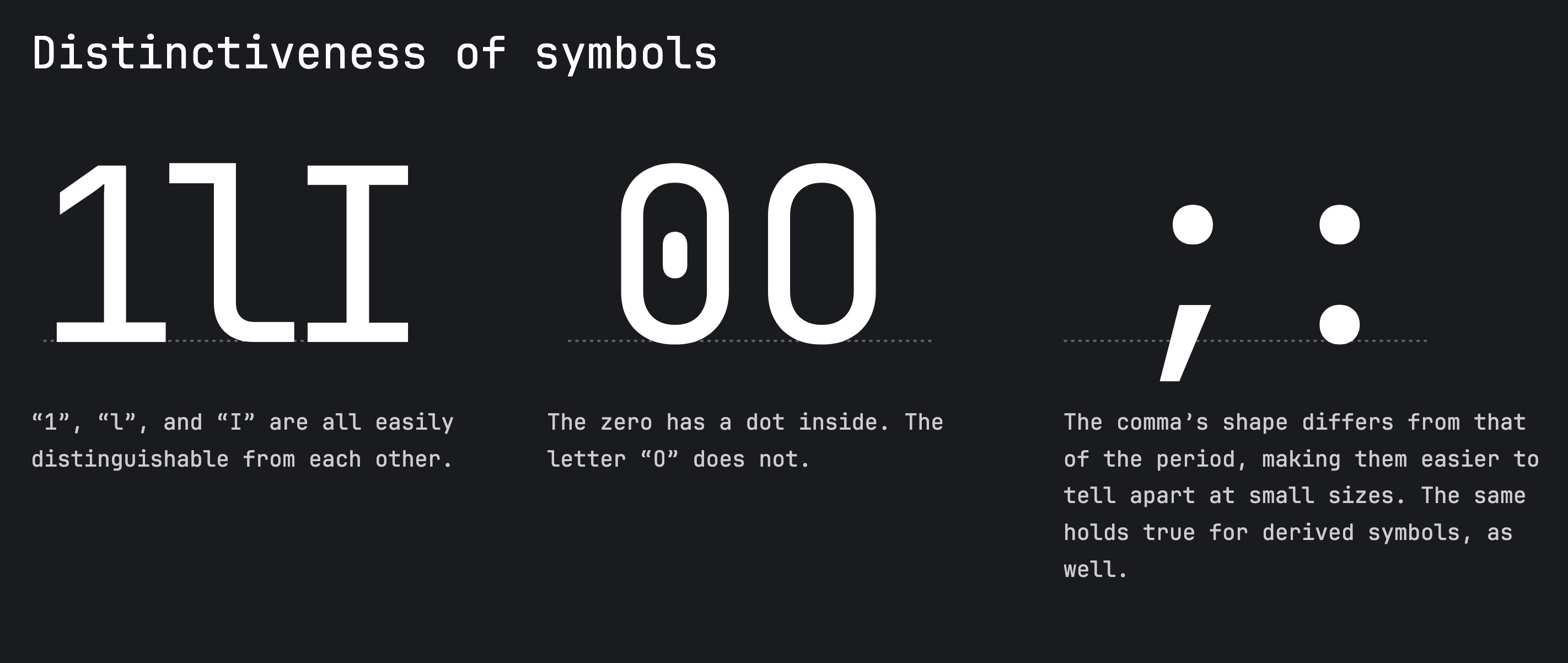
This specific situation was actually a significant enough problem at one of my last jobs, when our customer service staff was having trouble reading out product codes over the phone. We had to make a special screen for them that would display each character in a special, unmistakable typeface. We also added a phonetic pronunciation under each letter. So something like “ABXY-0O1l” would become ABXY-0O1l, with alpha bravo x-ray yankee, zero oscar one lima under it. It only took us an afternoon to write, but months later, we’d still get worshipful praise about that feature from the customer service staff… it was the single biggest improvement to their workflows they’d ever encountered.
Yes. I love Jetbrains as an IDE, but I love it more for its typeface, especially the way it renders ligatures.
Every place I’ve worked, when we had user visible codes like that, we used a limited character set that included only one of zero and O, and only one of I, l, and 1. Some companies went even farther, and avoided having both 5 and S, or both 8 and B.
That would’ve been by far the better solution… had they had the foresight to do that many decades before the software launched. These were serial numbers on products meant to last decades (solar equipment).
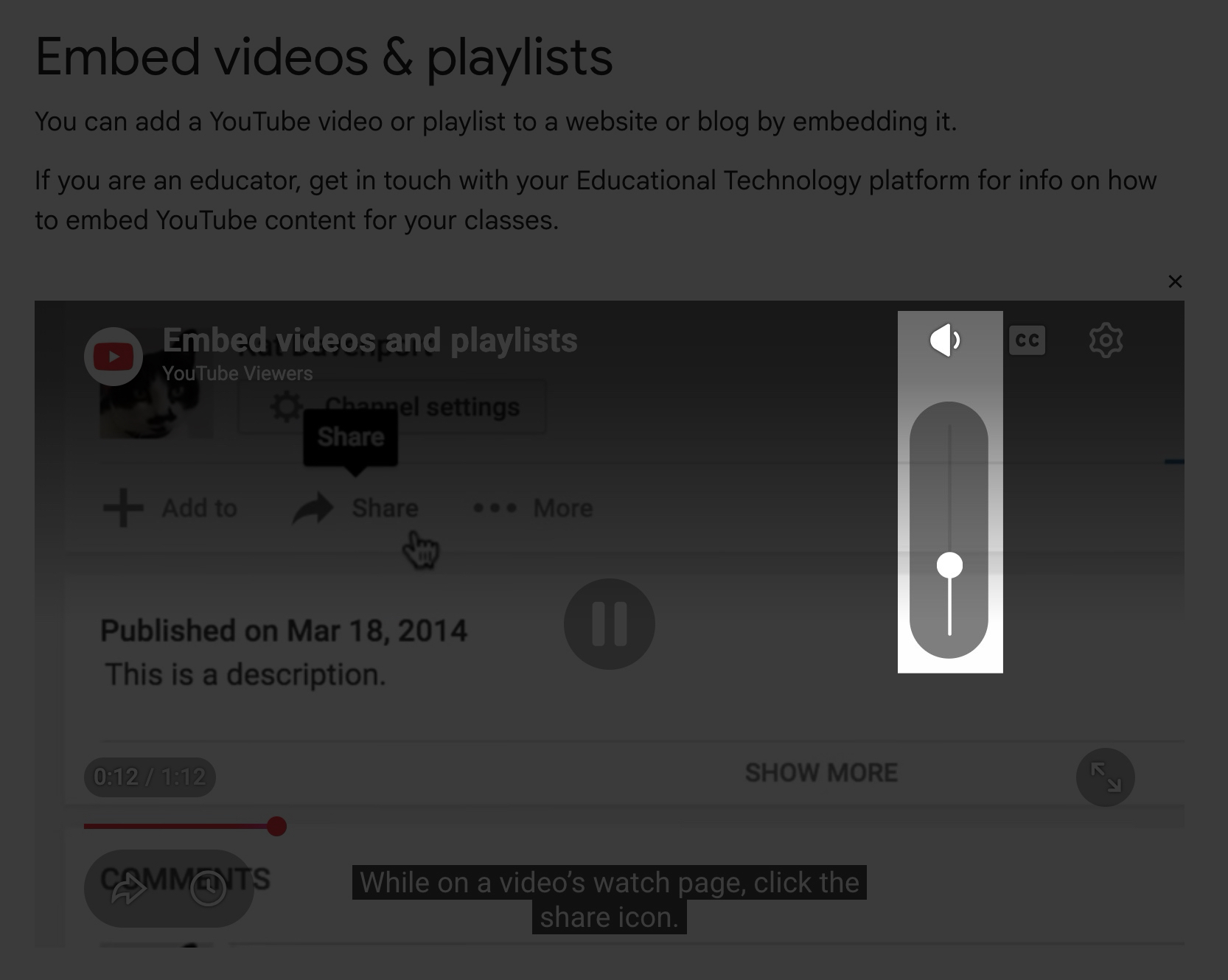
I’ve started noticing that embedded YouTube videos, like the ones on this message board, no longer have the full set of controls you get when watching on the full YouTube website or app. Most notably, embedded videos no longer have a volume control. I’m sure the entire point is to push people to their site/app, so it’s not stupid from YouTube’s perspective, but I dislike it, darn it!
I think that’s just a setting that the person who embeds the video can control. Or in this case maybe Discourse disables the controls by default?
The volume can be there, sometimes:
This is hardware rather than software but when I was n the navy the equipment I worked on had the cards with edge connectors plugging into sockets made by Molex. There were 20 pins on each of the card’s two sides, one with numbers and the other with letters. Since only 20 were needed Molex simply got rid of the troublesome ones.
Once, while a non-tech looked over my shoulder I was counting pins to get a probe on the tight one. “A, B, C, D, E, F, H, J, K, L, M, N, P, R, S!”
“Who taught you the alphabet?”
"Molex!’
A while back a bunch of cooking sites all owned by the same publisher (People, Inc.) – Allrecipes, Serious Eats, Food & Wine, and others rolled out a new site called My Recipes that allows users to save recipes from all those sites in one place. Fine.
Except now when I pull up a recipe from one of those sites, I get insentient pop-ups asking “Want to save this recipe? Sign up for My Recipes now!” even though I already have a My Recipes account and am signed in (that’s how I got to that page in the first place), and I already have that recipe saved (again, that’s how I got to that page, from my saved recipes). In fact, the little “save” icon at the top of the page is indicating that I already have that recipe saved, so the page is aware of that fact. So stop asking me if I want to save it!
Similarly, on Instagram, videos no longer have a seek bar. The whole video just plays one time from beginning to end, and then it repeats and, lo and behold, the seek bar appears. So they’re just forcing you to watch the whole thing.
You know those 3-minute videos where you have a cat sleeping on the couch and nothing’s happening, with the caption “Wait for it!” ? You can’t seek to the end anymore.
I have an HIDIZS AP60 portable media player. If you charge it up, turn it on, and select a song, it will display “Play failed - Not support the file!” and just skip to the next track…which also won’t play. Rinse and repeat.
But it DOES support the files! This error message pops up because you don’t have headphones (hardwired or BT) connected. Once you connect either type of headphones, the files play just fine. It took me weeks to figure this out. Only by accident did I notice that the message had nothing to do with file type.