Anyone seriously considering the switch from Windows to Linux?

I would draw the following comparison:

Switching from Windows 10 to Windows 11 is like renting a car you don’t normally drive. It takes a little while to learn where everything is and what the eccentricities are.

Switching from Windows to Linux is like switching from playing one instrument to learning another. You still know the basics about musical keys, time signatures, chords, etc., but there’s still a lot more involved you need to learn and practice.

I reckon I might have to rephrase things: ultimately what irks me most, is having to resort to Linux terminal (which in my use-cases coincided with installing SW)

that is just a No-No in 2025 …

but I am the first to admit that 99% of all in Mint is smooth sailing … and to answer Zone’s msg above, moving from Win to Mint is like moving from playing guitar to playing bass-guitar … for all practical reasons, it IS really the same, as I said, the kids didn’t even notice … and the few parts that are different are “better” in Mint …

except for 1 thing … :wink:

(getting off my soap-box now)

Now that I understand. And it is actually part of why I wound up returning to Windows back in the day. I was dual booting just for one game, but I would find myself just sticking around in Windows not having to deal with the command line to tweak things.

And I’m a tech enthusiast who loves to tweak.

But this was in the days before we all tended to use our web browser and a small handful of apps. I might actually like Linux more and am still considering trying out dual booting again.

But currently I can still tweak Windows 11 to my liking enough, and I have less bandwidth to jump into something new just for the fun of exploring. And I have other areas I may wnat to explore first.

That’s the thing. I have a BSEE with a computer emphasis - I wrote non-trivial stuff in assembly. I should be all over command-line, and while (as mentioned above) for certain tasks it is super awesome, but I’d rather not deal with it in general. Now maybe with day to day use I would be OK as you don’t need to resort to command line often. At work (doing software development) for certain tasks I had no choice but I’m not doing those much.

Brian.

My understanding is that you need the command line less in Linux than you did back when I used it, and even then I only needed it a lot because I was constantly tweaking or installing stuff, something I do a lot less today.

Though lately I am installing a lot of games.

Just popping in to question what are all these ads people think they’re seeing in Win11? I’ve been on Win11 now for ~6 months. I have no idea what y’all are talking about.

Likewise “dark patterns”? Is MSFT a big company pursuing their own revenue model? Sure. So is Google and Apple.

Do I find AI irritating? Yep. There’s a new button I need to ignore in Adobe’s Acrobat reader. There’s a new button in the browser. There’s a new button in my Outlook I use daily and the other Office apps I now use more rarely than 5 or 10 years ago. All are slightly irritating, but there are lots of buttons on those apps’ respective toolbars I don’t use. This is just one more. And some can be hidden.

I’m far more annoyed about AI in my search results. Which will look identical when browsed to under Linux as under Win11 or iOS. That’s the AI I’d like to shut off.

I’ll say it, the terminal is a tool. The most powerful tool in any Linux distro. It doesn’t hurt your experience for it being there. Sure if all your problems could be solved through some sort of system setting panel, that would be great. But having access to a terminal shell will ALWAYS be the fastest, most precise, and most versatile way of communicating commands to your system.

A GUI is just a pretty interface of displays and buttons to click on, just so that your application’s backend will be able to parse a precise command to send to your shell. An experienced user will always opt to open up the terminal themself to skip that limited/fiddley middleman.

That said, Linux is as graphical as you desire it to be. Most Desktop Environments are VERY GOOD at abstracting away all the complexity of system control into their version of a settings panel. Whatever Linux distro you choose, I’m sure you’ll go with the standard KDE Plasma/Gnome/Cinnamon DE which are all great at controlling system settings through their own interfaces.

If you REALLY want, you can get into more advanced practices which require a terminal, but now any problem is on you.

And the same holds true for Windows. I regularly had to use PowerShell/CMD for tools that didn’t have a graphical equivalent.

Your questions have already been answered in other threads. But here’s a list of the ads I have to turn off to use Windows 11 ad/spam free:

  1. Unwanted apps that Microsoft will install automatically
  2. Start Menu recommendations to install apps I don’t own.
  3. Little banners for Microsoft apps in File Explorer
  4. “Tips” about Windows which show as notifications.
  5. Spotlight/Lock Screen ads (which show up when you log in)
  6. the Welcome Experience which tries to get you to install some apps and blocks you form using the rest of your computer until you complete it.
  7. Little banners for Microsoft apps in Settings
  8. the Suggestions bit in Timeline

As for AI, I turn off the web search in the Start Menu, as that uses Copilot. And I make sure Microsoft Recall (which takes screenshots of your screen every few seconds to then let you use AI to ask it questions) is force turned off. Microsoft has a history of updates turning on features that were previously opt-in, as does anyone using AI stuff.

But the bigger problems with AI are the future promises, the things they say they will add. As already mentioend, Microsoft is pushing to turn windows into an agentic OS, where you would use AI and voice commands to do everything.

As for dark patterns in Windows? Yeah, other for-profit companies use them. Hence the idea of moving to Linux which doesn’t. It’s not like dark patterns are okay because they help make money. They are by definition deceptive and try to manipulate you into doing things you don’t want to do.

The underlying problem remains companies treating your computer and its software not as something own but a service they provide. Instead of “you can do what you want with your computer” they increasingly try for “you will do what we want. You exist to make us money, and we won’t even bother making sure our OS is reliable. You are our beta testers.”

Linux doesn’t do that. That’s the appeal.

The programs I use the most in my private windows computer are Firefox, Mozilla Thunderbird, the Affinity Suite, Clip Studio Paint, Libre Office, and Open Office. Are there Linux equivalents for the Affinity Suite (pictures and desktop publishing, very good with complicated fonts) and Clip Studio Paint (for drawing pictures)?

On Linux mint for me, I get a little notification icon at the bottom right of the screen, I click it and the software update opens and shows a list of updates, I click update and it does the updates.

I can refuse specific updates or all updates if I want.

I don’t mind doing this in the terminal, but lately I’ve just been using the graphical updater.

Hmm. I haven’t seen most of those. And the ones I’ve seen didn’t come up too often. If course, my laptop tells me it’s about to update, so maybe it’s about to get worse.

(No choice about updates, which is partly good, but partly bad.)

Mostly I’m just pissy about MS moving all my files to one drive and then telling me it would delete them unless i buy more space. When i never wanted them on one drive to begin with, and have lots of room on my hard drive. Oh, and that i can’t find anything, because they have obfuscated the file directory if you don’t use OneDrive.

IMHO if you’re a graphics creative and you like your tools, don’t change operating systems for no reason. Affinity and the other program don’t have native Linux versions (except clip studio has an Android one).

Linux has tools like GIMP but it’s honestly not very good compared to the Windows and Mac apps. It also has different text rendering and subpixel hinting, so what you see won’t be quite the same as what your audience sees.

The small differences between operating systems don’t make up for losing your favorite apps.

There are maybe ways to run some Windows apps through emulators and virtualization, but it’s not worth the hassle.

Different strokes for different folks. Yes, it doesn’t hurt to be there. But it hurts me if i need to use it for things i could do through a GUI on other systems. It may be fast for you, but i have no memory for names, commands, or other “magic words”. I’m also a shitty typist. If i need to use a command line, it’s going to take me a while to search for the right words and the right syntax (which might mean a Google search, or it might mean nagging my husband) and then I’m going to be stressed about whether a typo might mess things up in an unpredictable way. And I’ll probably have to type the actual commands more than once.

You are giving advice to a person who sometimes takes three tries to successfully log onto my work laptop, because there’s a lot of typing involved.

My husband is the opposite. He used VIm so much that he contributed to the code and is mentioned in the acknowledgements. He uses keystrokes to move from app to app, and is frustrated if he needs to use the touchpad. (Or mouse, whatever) But when I’ve tried to use VIm i get stuck in “beep mode”. I luurv a good GUI.

Oh, my husband uses Linux on his desktop.

I assure you then. If you choose to install KDE Plasma or Gnome or Cinnamon as a Desktop Environment, then ALL OF THESE will take good care to provide you with a friendly User Experience wrapped up in a modern graphical shell. There are many other choices, but I would suggest you to stick with these three options:

  • KDE Plasma if you like the look/feel of Windows,
  • Gnome if you like the look/feel of Mac’s, and
  • Cinnamon if you like KDE Plasma, but want it constructed using the Gnome toolkit instead of qt

…On second thought just choose Cinnamon on Linux Mint. Let’s make this simple. Cinnamon on Linux Mint is a great starting choice.

I dunno, this seems a bit elitist, and maybe was true in the 80s and 90s? But these days there are many classes of operations that are perfectly fine in a GUI, and probably even faster there.

Want to go through a folder of photos and pick 30 of them to send to a friend? Way faster in a GUI. Conditionally select most but not all files in a folder? Still faster in a GUI when you can ctrl click to exclude.

Want to search for some name in some file? A good indexed GUI search can present the results faster and in a cleaner table or thumbnails.

Want to compare two versions of a document or a codebase? A visual diff or three way merge tool does wonders. Tracking git is also a lot easier with a visual commit graph tool.

Want to automate a repetitive workflow? OK, there the terminal probably wins, but even then there are GUI workflow tools that can do a good enough job.

And for really complex operations, it’s often better to just write the thing in a proper programming language instead of an unreadable bash script with a thousand pipes.

I don’t think the terminal is some magical way of making yourself more productive. For the overwhelming majority of regular computer users, it will do nothing for them. For the few who need more expressiveness, it is just another tool in the toolbox, not a replacement for a GUI. Even in a world of desktopless server Linuxes, it’s still often easier to manage machines in a dashboard GUI and having easy monitoring and one click updates than by shelling in everywhere, even with automations.

Even if some of these are abstractions, well, abstractions exist for a reason. They help manage complexity and provide shortcuts for frequent tasks.

It’s great that Linux and Macs have powerful shells built-in (and Powershell too, I guess, but that thing is so slow compared to cmd.exe…) but they’re not a magic bullet. Especially if you’re just a regular Jane or Joe and not a grizzled sysadmin who coded in the trenches alongside RMS and wear your monochrome text editor like a battle scar…
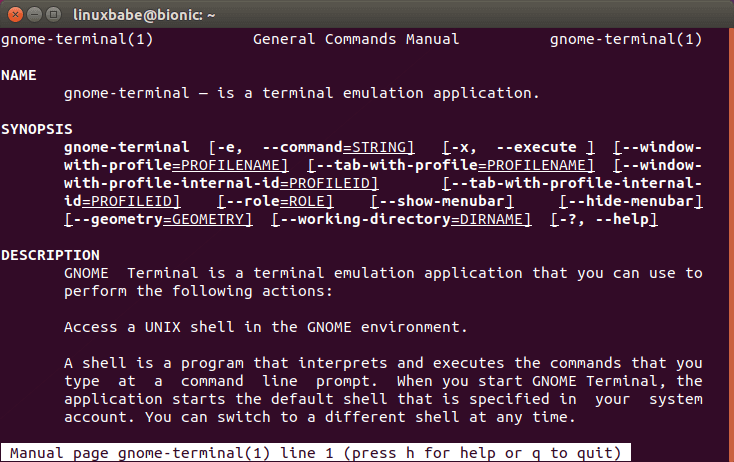
My bias is that I use a command line for almost everything that I can. To me going through nested menus to find the application or file I want slows me down. For example, to view a pdf I’ll just type atril ~/Downloads/statement2025-04-16.pdf. With text completion and such, that is way easier to me than the identical operation scrolling through a file picker.

So that’s my bias, but I’m asking this question ernestly. When you talk about being “forced to go to the command line” what is it that you’re doing on the command line?

Hopefully, almost nothing. :wink: I think i needed to use the control line on my Mac to make certain system files visible in the GUI, but i only needed to do that once. That’s acceptable.

(Iirc, the specific use case was that I wanted to find my Minecraft “screen shots” to drag and drop them into signal to share with my son. They were hidden somewhere.)

But folks have suggested one night need to do it more often in Linux.

except it always turns out the the directory is called Download

… and the file “statement-2025-04-16.pdf

et voilá - instantly royally screwed you are … (yoda voice)

let alone it takes me at least 3-4 tries to get the “~” on my computer

Thanks! That is what I suspected.