Thanks. I asked my husband about it, and he said, “do you believe in the wisdom of crowds? Then use Ubuntu.” And indeed, i see a lot of online instructions for how to do stuff (like getting Minecraft up and running, yes, it has a Linux version) if you are running Ubuntu.
Yes, I’d agree with this. If you need to use specific tools, and they only live on one platform, use that platform. Trying to switch to new tools when you are a power user is generally fraught and unpleasant, even if the tools end up being basically identical.
I’m going to maintain (at least) one computer on Windows because i need to have the Windows version of Excel available.
That is where tab completion comes into play. I don’t have to remember those things. I’ll type
atril ~/Dow<tab> and it will finish to Download or Downloads. I can’t even remember which it is. I only type Dow to distinguish it from Documents. When I get to the file, I type st<tab> and I’ll get a list of possibly completions, maybe I have to type a few more letters to distinguish from other files that start with “st”, or it jumps out to statements- or statements202 or whatever, until it hits a new ambiguity, then it shows me the matching files and I type to get the desired one.
Again, I’m just saying that’s the best way for me. I’ve seen some people that are very fast with a file picker. Most people I watch are as slow with a file picker as they are with the command line, and I’m left wondering how they ever get anything done.
(oops, accidental post)
I can’t argue with what works for you, but I’m the opposite. One might think I’d be a good candidate for also preferring command mode since I’ve been using computers since before the GUI was commonplace and indeed since before the PC was invented, when command lines were the only way to get anything done.
But there’s a reason the GUI was invented – it provides a pleasant and intuitive way to interact with a computer, and the object-oriented paradigm provides elegant consistency (for example, “cut and paste” works the same way on many different kinds of objects). The GUI isn’t just for novices, and there are many shortcuts to help you work faster.
I do occasionally use command mode in Windows, but not often. I use it to execute network commands like “ping” or “ipconfig”, to create text files of directory listings, and to run batch files that automate the functions of some complicated command-line utilities to do things like file conversions. And that’s about it.
I was once perfectly competent at DOS. I, too, choose a GUI when those became widely available. I’m happy to have both available, as their are many types of people in the world.
Looking at trying Ubuntu, possibly with a cinnamon desktop, over my husband’s Christmas break.
I’m much like @wolfpup. I grew up in college and professionally on punchcards for gawds sake. I for sure know (or knew) my way around various shells over the years. I was a professional Windows dev as my full time job back in the Windows XP / Server 2003 to Win7 / Server 2012 era. I can (could) bang out fancy Powershell scripts very readily.
To me the advantage of a GUI for e.g. OS settings in the discoverability. I can open the GUI master settings app, look at the various categories listed, dig around doing what amounts to a tree search through the various sections, subsections, and options until I notice something that looks relevant to my goal.
That’s a lot easier than trying to guess which command line app controls what, then using -? repeatedly to try to suss out what syntax I need.
For stuff I already know how to do, yes, maybe I could switch to the terminal app, keystroke the name of the pdf viewer app and tab-complete my way down a directory tree to the file in question. Or I can click the favorite for that folder, then double-click the relevant file and launch the relevant app. Kinda 6 of one half-dozen of the other to me.
I feel like the preference many experienced Linux users have for the terminal, comes across as an obligation to use the command line for Windows-based onlookers.
How else can we show off our system ricing if not through screen shots of our fetch shell prompts?
But seriously, despite the aesthetics, and the geek culture/pompous wars which spring up when comparing setups, the Terminal is an awesome tool. It gives you a one-degree of separation to all the workings of your entire system. Great for troubleshooting and modification. That’s really the best thing about Linux, its all open. If you want, you can wrap your head around it all. Go deep into the workings of every component.
Or not. Again, you don’t NEED to do any of this. You can also install a modern Desktop Environment and not touch the Terminal; you are still good to go.
Unless you are working on a server with only a command line interface, all computing workflows will make use of both GUI applications and terminal ones. It’ll be a complex mixture that only makes sense to the admin and God herself.
Ubuntu is a fine choice, Linux Mint is based off of Ubuntu, but altered in a few ways to be less corporate focused. Perhaps you should also try the Gnome Desktop, this is Ubuntu’s chosen default DE. Or you can install Plasma, Gnome, AND Cinnamon; you can switch through them all on a day-to-day basis (via your login screen). 
Also, in vaguely related news, PopOS’s System76 has FINALLY finished their own Cosmic Desktop. So we will be starting to see this as yet another DE option sometime in the future. Cosmic DE was made for use in PopOS; like how the Cinnamon DE was made for use in Linux Mint.
Interesting enough, both PopOS and Linux Mint are distros based off of Ubuntu (which itself is based off of Debian).
With three generations of laptops, I don’t mind sacrificing the oldest one to another spin with Linux since I’m unlikely to ever use it for anything else ever again and I’m fine with experimenting with it when I have nothing else to do.
But that cheap old beast has a Sempron processor and has the physical max of 2 GB of memory. It can run Windows 7 OK but my question for Linux gurus is: can it run well with any current version of Linux? Which one?
My second laptop has a multi-core i5 processor and is still a valuable resource under Windows 7, so is not available for experimentation.
Well there are a segment of Linux “lightweight” distros which are designed to run on VM’s and limited hardware (and your old computer does fit that description). PeppermintOS, Lubuntu are two that come to mind.
How about giving Tiny Core Linux a try? I’ve seen videos of someone installing that on VERY old hardware (designed to run Windows 98 and Windows 95). It will run, but I’m not certain you will enjoy the “barebones” experience.
But, in honesty, my first choice would be to try to install Debian with one of the lightweight Desktop Environments (like LXQT, LXDE, MATE, or XFCE)
Off Topic: look at this man build a custom version of Linux to put onto a 3.5-inch floppy disk.
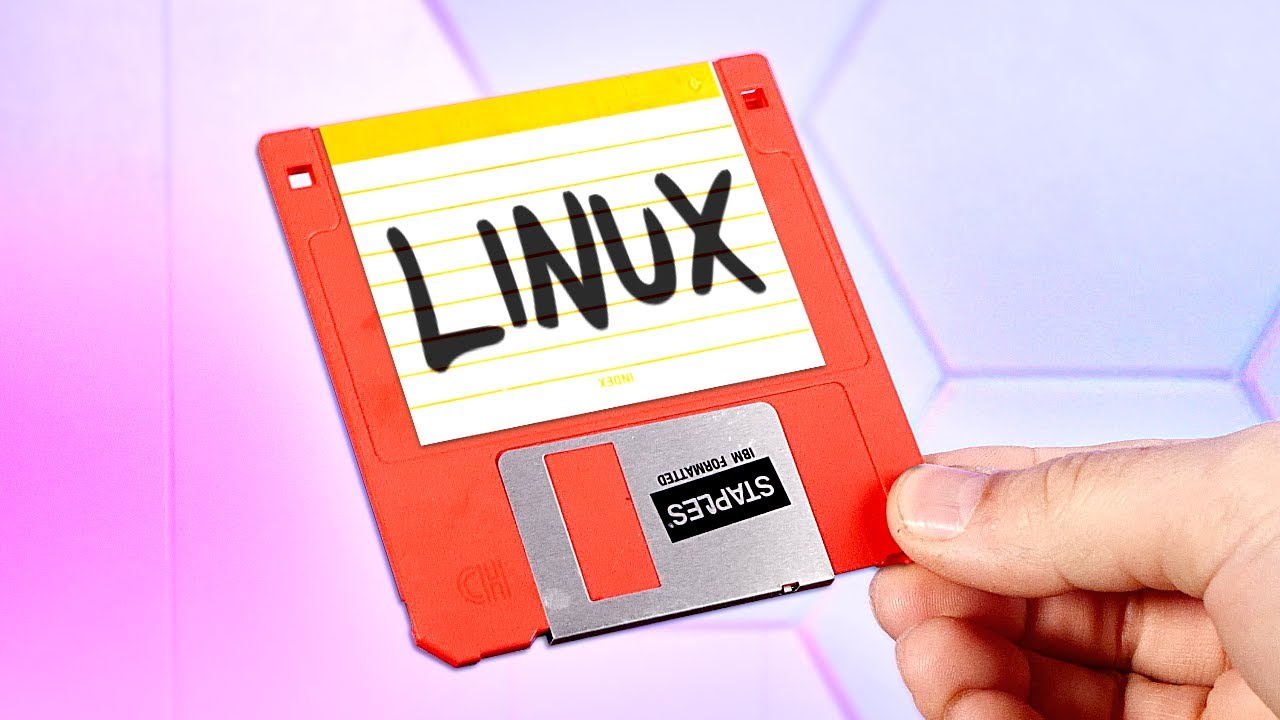
For what it’s worth (not much), when I made the switch in October I tried a few different installs, Mint among them, and ultimately went with Ubuntu.
I mean, neither Windows nor macos are open, but they both have a command line option. I’ve occasionally had to use it on both those operating systems. So yes, when Linux users write about using it, it comes off as needing to do so more there than in other systems. Because “it’s available” is not a special feature of Linux. 
The terminal equivalent of this is scrolling through a commented config file and making changes.
Pretty much exactly that. I may spend a day using a dozen or more terminals to adjust things on different servers. I may spend another day 100% in a word processor and web browser, and never touch a terminal. Or I might bounce between a spreadsheet and the terminal as I hand manipulate some information and prepare it for batch processing.
Sure, you can run a stripped down Linux on it, and it will be very fast at many simple things. It won’t be magical though. It will run a modern web browser and office suite just as well as those run under Windows 7 now. Linux makes it easier to remove unwanted background processes, but unless Windows forces you to run something that uses 25% of your CPU, the gain from Linux won’t be dramatic, if even noticeable.
Nostalgia time
Back when the iphone didn’t even have a number after the name, I had a little pocket computer called the Nokia n810 that ran Linux. Just like the first iPhone, it kind of sucked. It was too slow and too memory starved to do the kinds of stuff that a mid-2000s desktop computer could do. Web browsing was possible, but annoying.
It had a 400mhz processor and 128MB of RAM. That was way faster than the Unix computers I started on, and I realized the best way forward wasn’t to try to turn it into a 2007 desktop, but backwards into a 1995 Unix computer. It ran Emacs, mutt, rogue, and such fantastic.
The point is, Linux won’t convert your old Sempron into a 2025 desktop, but it will convert it into a great 2000 era Linux box. Unlike running ancient Windows, you can have modern Linux running modern versions of very old and lightweight software, that is still maintained and supported.
I do think the Linux community is its own worst enemy sometimes, at least in terms of community growth; it’s like “You should use Linux. Everyone should use Linux. NO NOT LIKE THAT I HATE YOU!”
When I switched away from Windows, I actually felt sort of weird picking Linux Mint, because it felt like it was too easy; I’m not by any means a hardcore Linux user but I do have a longstanding experience of it (and I was fully and formally trained in Linux admin way back) - in a way, choosing Mint felt like when you have to buy a power tool and you realise that the one that best fits your needs is the one everyone thinks of as being like Fisher-Price My First Electric Drill.
I"m fine with various flavoirs of *nix, but the one I use most often is Alpine, a fairly lightweight version designed for hosting websites/services. It doesn’t even have a UI, all command line (or build files)
My laptop is a Mac which is a very fancy variant.
But I dual boot Windows and am considering triple booting with one of the more experimental *nixs, only because I am a nerd. I’ll try put a few in VMs first.
I left Windows behind about 15 years ago. I changed to Linux as a daily driver and used it for about 2 years, and got frustrated with these things:
- Lack of an app ecosystem and interoperability with popular apps
- Driver availability and stability
- Minor things breaking and requiring expert knowledge to debug.
Mind you, I do have the expertise to debug pretty much anything on a Linux system, and also to coerce apps into running even if they weren’t designed for Linux. But I have no interest wasting any time whatsoever on that; I’d rather my machine just to do productive tasks with no drama.
If I want to set up a web server that can sit in a corner without a patch or reboot for 10 years, it’s going to be Linux. If I want to actually get shit done that’s personally and financially rewarding, it’s going to be on my Mac. I’ll only go to Windows if I get back into any games that require it.
You can do this with an Ubuntu (or whatever— most distributions have one) live USB drive, as has been mentioned.
Yes. (Also, one can run Affinity Suite as well as Clip Studio Paint under Linux, but I would not call the setup completely effortless as you will have to do it using WINE.)
Vim is a text editor; it is a good option (you can, very comfortably, write a novel in it) but you absolutely need to go through the interactive tutorial if you want to know how to use it.
Probably not?
So Ubuntu is the Windows of Linux, is what you are saying?
I know someone who switched from Linux to OpenBSD after Linus Torvalds pissed them off.
You could try that if you enjoy a challenge
A few years back (probably around 2016) I reinvigorated an old slow laptop with Ubuntu and played with it for a bit. I liked it fine, but I did have difficulty getting software on it, but I don’t remember what my specific issue is.
I’m open to giving it another go. I’m a home computer OG, so back as a kid I was very comfortable doing things through command lines and other techy stuff, but I haven’t really kept up with it so I am confident I can learn/get it back, but I don’t really have any desire these days.
I really don’t like being pushed to do everything in the cloud and online. I want my software local and under my control. I don’t need a product end of life or company bankruptcy to be my problem.
Someone mentioned there are threads about what MS is up to with Windows, but I missed those. Anyone got a link?