I have a Dell XPS 15 that’s about 3-4 years old. I was using it and the screen went blank. Efforts to reboot gave me two orange flashes of the power light, followed by 4 white flashes. A little googling and it’s probably a RAM issue. A little more googling and I confirm this by removing first one, then the other 16Gb memory stick. With one of the two installed it boots fine, with the other it does not. So I suppose I need to replace the RAM if I want to keep 32 Gb.
What type of RAM do I need, and are we still in the days of having to have all the RAM installs be the same size?
There was a time when I was pretty good under the hood of a computer, but that was the 80s and 90s.
You can go to Dell and put the service tag of your computer into the “identify a product” box. That should bring up your laptop, and off to the side in “Quick links” should be a “Product Specifications” link.
That will show you all the things that shipped with your laptop. If you scroll down it will eventually have something like “32GB, 2x16GB 2933Mhz, Non-ECC memory” and when expanded will show similar, but possibly “3200” instead of 2933Mhz. That is the type of memory you need.
As long as you are on that page, you can find the manual and other documentation for your computer. It should list exactly what combinations of RAM you can use. Two identical sticks is going to be best, but might not be necessary.
Crucial is getting out of the consumer memory business, but they still have a RAM selector at SSD & RAM Upgrades | Crucial.com to show what exactly your computer needs. I thought Newegg had one, too, but I didn’t see it in a brief search.
If you bought the memory yourself, instead of from Dell, then definitely investigate whether it is still under warranty. RAM often has a lifetime warranty.
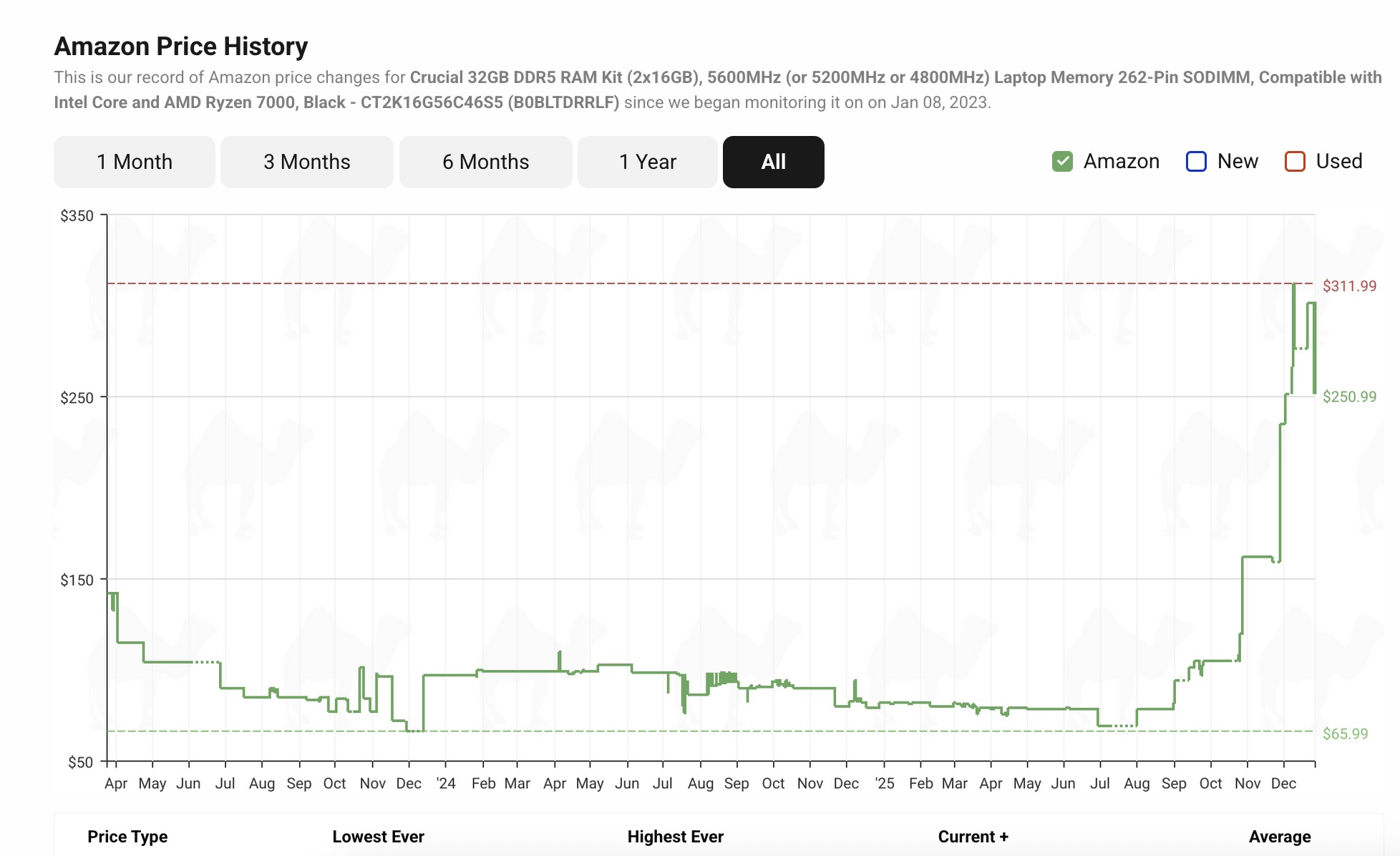
Hopefully your computer is old enough to use DDR4 memory, because it hasn’t gone through quite the explosion of DDR5 prices. At the moment, it looks like DDR5 is twice the cost of DDR4.
Another thing to investigate is if it is one of the SDIMMS that is bad, or one of the sockets. Try each stick in the first socket, etc. Many, many years ago I had a Dell laptop where one of the sockets went bad. It’s more frequent that the DIMM goes bad, but worth investigating as long as you have the case off, and before you spend money.
I will second that the idea of holding on at 16GB makes a lot of sense right now. There are some types of workloads that actually need 32GB, but most can get by just fine with 16GB.
If you can’t get it replaced by the manufacturer and do want to replace it, I’d honestly not bother with those things where you check your computer. Either go into your BIOS or download software like CPU-Z and look at your memory speed and timings. And then get a 16 GB stick where the speed is the same or higher, and the timings the same or lower.
Or, at least, I’d say to do that when RAM prices are low. I guess with prices like this, if you really need the memory, you could look at stuff with speed timings that are slightly worse. Hell, you could even look at 8GB sticks if you’re really desparate: you’d still get 16 GB of dual channel memory.
That is the one thing I do caution you about. With only one stick of memory, your memory is running at half speed. Dual Channel uses both sticks in parallel.
But it’s likely none of this matters, and you’d be find with 16GB single channel for a while.
Seconding BigT. You may find that your system operates noticeably better by switching to two 8GB sticks. Normally, this sounds like a dumb thing to do, but I’ve found people who are almost giving away 8GB sticks because everyone wants to maximize their memory. Is it worth the effort/expense? There’s a chance.
With DDR 4 at least, I didn’t have any problems using a 16GB and 8GB together. only 16GB of this will be dual channel, but you don’t lose the other 8GB
In other words, if the timings and speed are good, just adding one 8GB stick might be acceptable. And RAM is so fugging expensive right now.
But I think the current plan of just using the single sick and seeing how it goes is likely going to be fine