Continuing the discussion from PC Gaming general discussion (Gaming PCs, game sales, news, etc…), mostly just to stop spamming that thread…
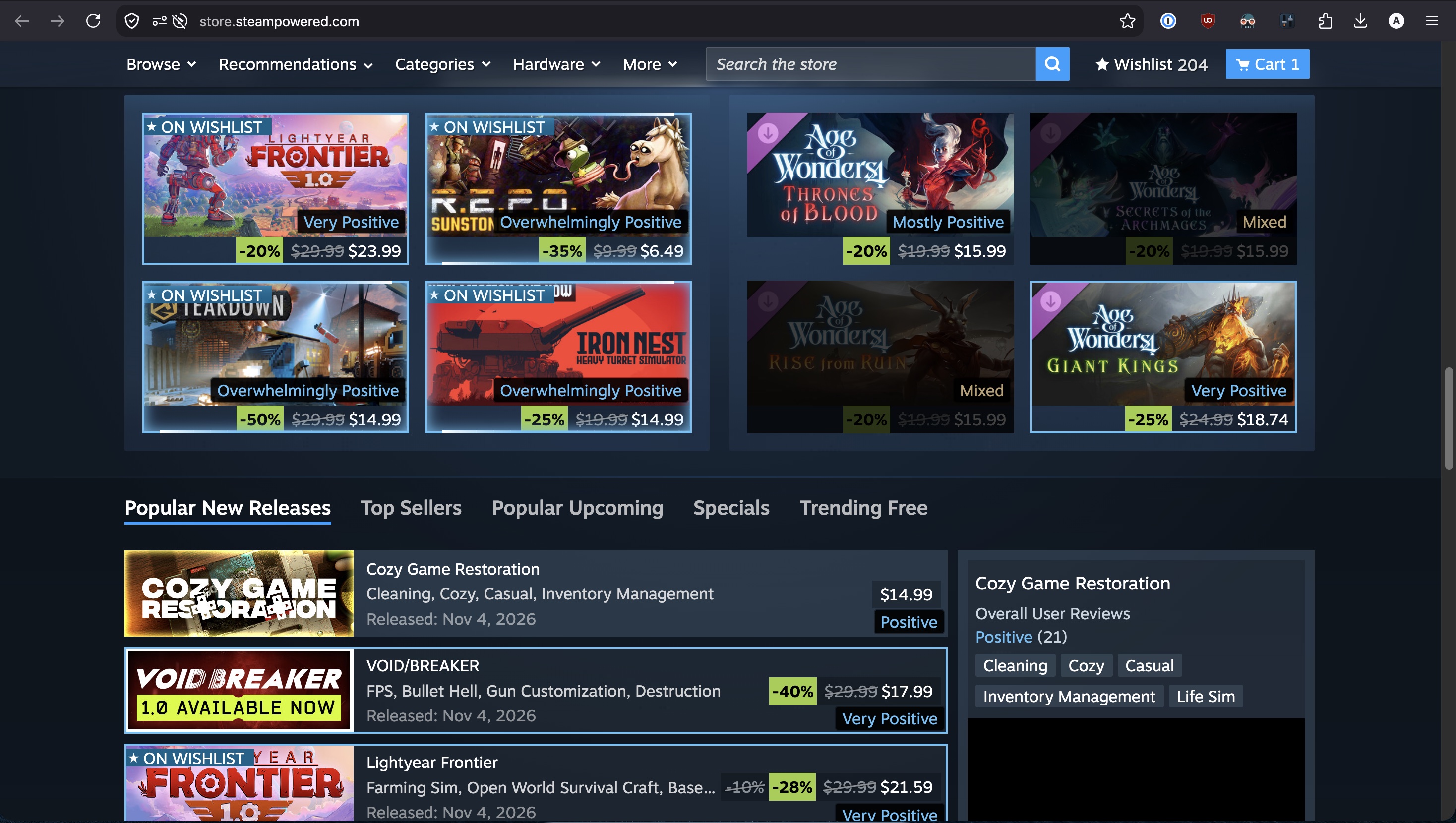
I made this browser extension for Steam that shows you the review summaries (like “Very Positive” or “Mixed”) next to every game. It also lets you selectively highlight, hide, or dim games based on their scores (configurable).
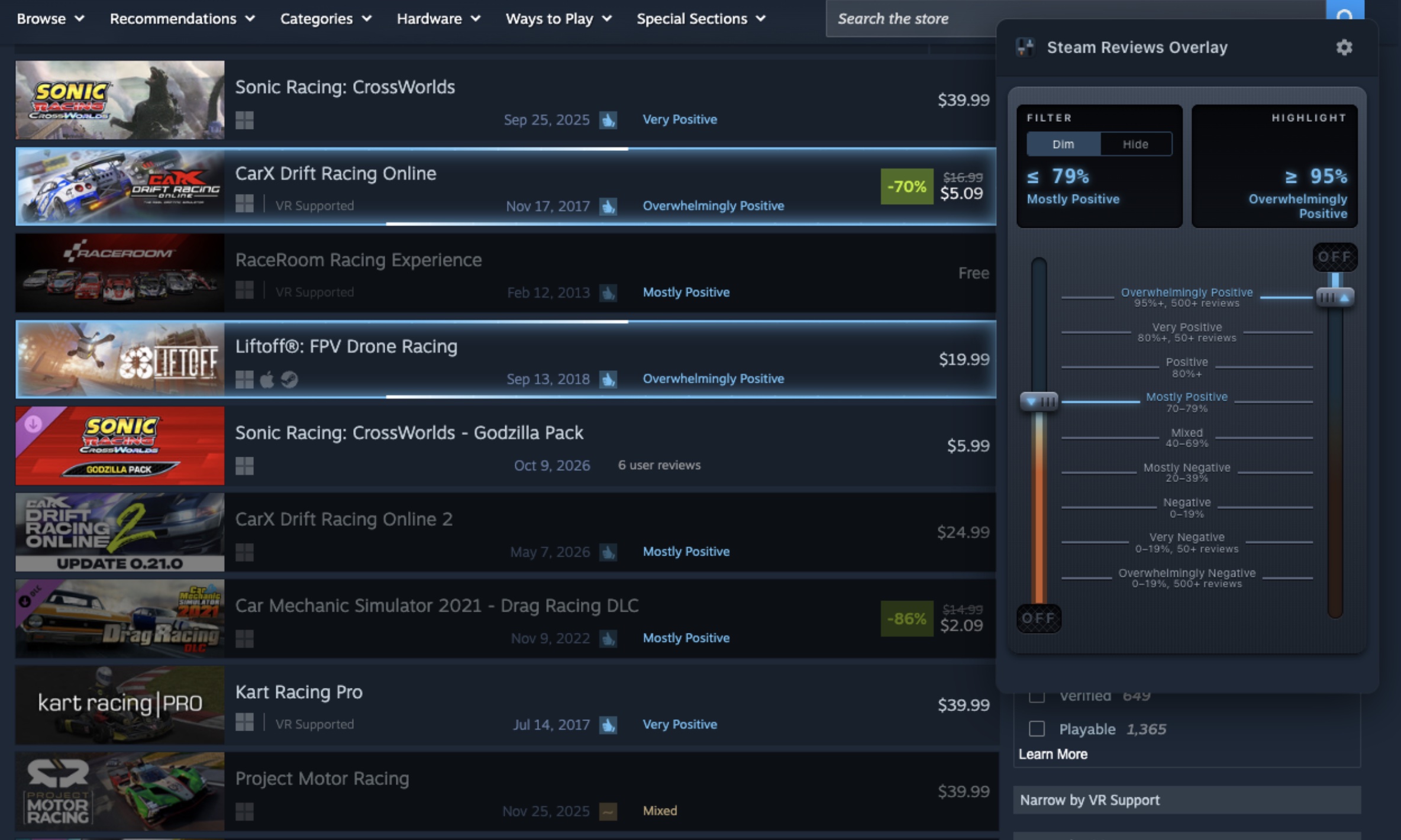
I made it mostly for my own use, because Steam has so many games & recommendations now that they’re impossible to sort through, especially with so many of them being poorly-reviewed AI slop. I wish Steam itself had this feature built-in! Anyway, a few Dopers have found the extension useful, so I thought I’d share it here.
It runs entirely in your browser, doesn’t collect any data, and only talks to official Steam APIs (though I might try to connect to SteamDB etc. in the future to get more useful metadata). It’s also open source and public domain, so feel free to do whatever you want with it.
Let me know if you encounter any bugs or want any additional features!
Installation
You can get it for:
- Firefox (including Firefox Mobile)
- Chrome/Edge/Brave/other Chromium browsers (might lag a day or so behind the Firefox version due to slower reviews from Google)
- No Safari build yet, but let me know if you need one
More examples
Front page
Calendar

New releases