Is there a free, easy to use, pdf file editor floating around?

Just in case anyone was curious, here’s what the original PDF looked like:
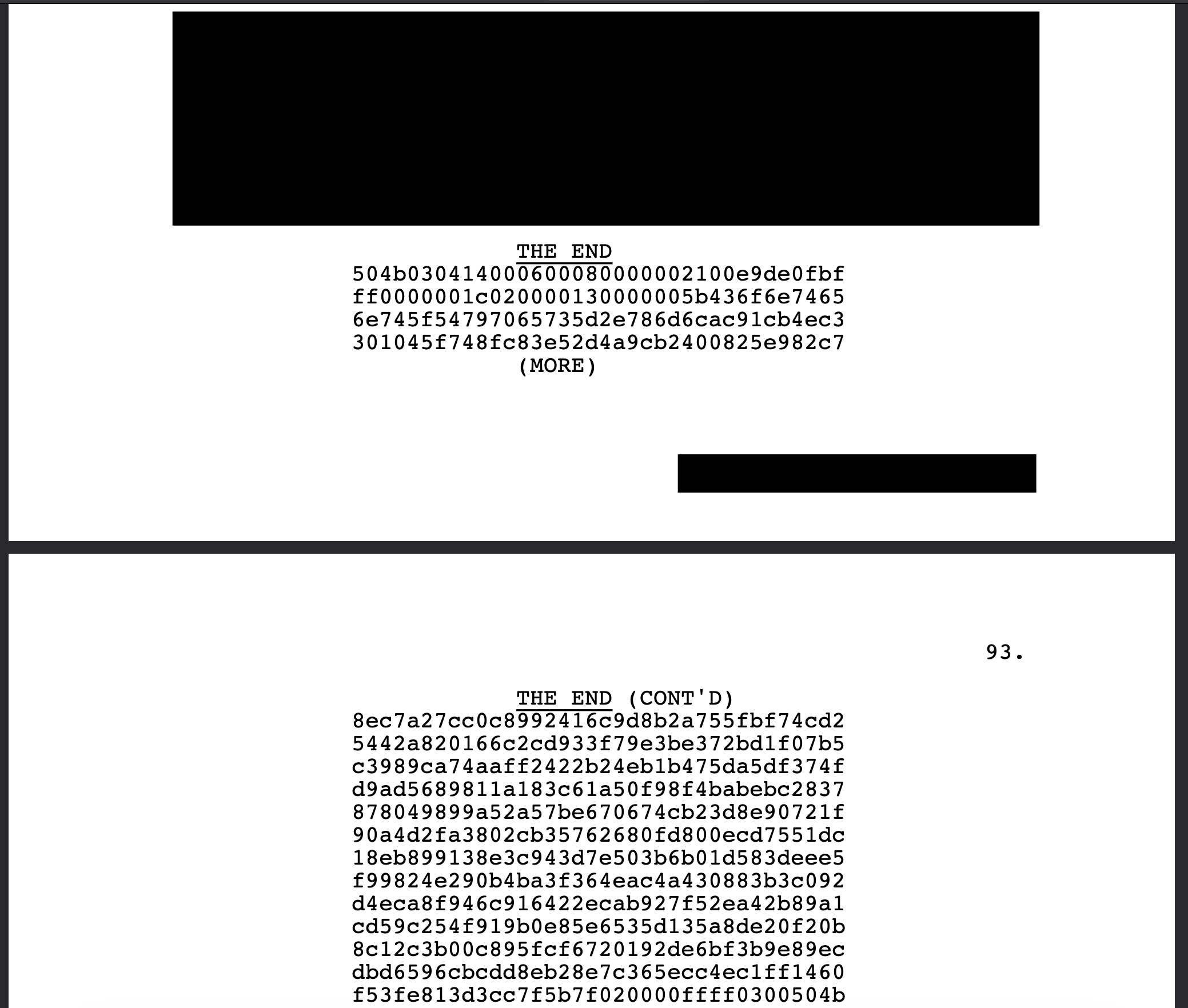
(black rectangles added by me to mask screenplay content)

If you decompress the PDF content, it gives you this:

/Fcpdf2 12.000 Tf
1.0000 0.0000 -0.0000 1.0000 266.4000 148.8000 Tm
(THE END) Tj                                                           % THE END, centered by starting at x=266.4. The last real line of the script
/Fcpdf2 12.000 Tf
1.0000 0.0000 -0.0000 1.0000 180.0000 136.8000 Tm
(504b030414000600080000002100e9de0fbf) Tj                              % JUNK BEGINS. x=180 is the dialogue margin; Screenwriter is treating the hex as dialogue under the cue above
/Fcpdf2 12.000 Tf
1.0000 0.0000 -0.0000 1.0000 180.0000 124.8000 Tm
(ff0000001c020000130000005b436f6e7465) Tj                              % junk, continued
/Fcpdf2 12.000 Tf
1.0000 0.0000 -0.0000 1.0000 180.0000 112.8000 Tm
(6e745f54797065735d2e786d6cac91cb4ec3) Tj                              % junk, continued
/Fcpdf2 12.000 Tf
1.0000 0.0000 -0.0000 1.0000 180.0000 100.8000 Tm
(301045f748fc83e52d4a9cb2400825e982c7) Tj                              % junk, continued
/Fcpdf2 12.000 Tf
1.0000 0.0000 -0.0000 1.0000 266.4000 88.8000 Tm
(\(MORE\)) Tj                                                          % automatic "(MORE)" cue because the dialogue runs onto the next page. Parentheses in a string must be escaped as \( and \)
/Fcpdf2 12.000 Tf

If you take all that junk output and recombine them, you get Word snippets like:

<?xml version="1.0" encoding="UTF-8" standalone="yes"?>
   <Types xmlns="http://schemas.openxmlformats.org/package/2006/content-types"><Default Extension="rels" ContentType="application/vnd.openxmlformats-package.relationships+xml"/><Default Extension="xml" ContentType="application/xml"/><Override PartName="/theme/theme/themeManager.xml" ContentType="application/vnd.openxmlformats-officedocument.themeManager+xml"/><Override PartName="/theme/theme/theme1.xml" ContentType="application/vnd.openxmlformats-officedocument.theme+xml"/></Types>
<a:theme xmlns:a="http://schemas.openxmlformats.org/drawingml/2006/main" name="Office Theme"><a:themeElements><a:clrScheme name="Office"><a:dk1><a:sysClr val="windowText" lastClr="000000"/></a:dk1><a:lt1><a:sysClr val="window" lastClr="FFFFFF"/></a:lt1><a:dk2><a:srgbClr val="44546A"/></a:dk2><a:lt2><a:srgbClr val="E7E6E6"/></a:lt2><a:accent1><a:srgbClr val="4472C4"/></a:accent1><a:accent2><a:srgbClr val="ED7D31"/></a:accent2><a:accent3><a:srgbClr val="A5A5A5"/></a:accent3><a:accent4><a:srgbClr val="FFC000"/></a:accent4><a:accent5><a:srgbClr val="5B9BD5"/></a:accent5><a:accent6><a:srgbClr val="70AD47"/></a:accent6><a:hlink><a:srgbClr val="0563C1"/></a:hlink><a:folHlink><a:srgbClr val="954F72"/></a:folHlink></a:clrScheme><a:fontScheme name="Office"><a:majorFont><a:latin typeface="Calibri Light" panose="020F0302020204030204"/><a:ea typeface=""/><a:cs typeface=""/><a:font script="Jpan" typeface="游ゴシック Light"/><a:font script="Hang" typeface="맑은 고딕"/><a:font script="Hans" typeface="等线 Light"/><a:font script="Hant" typeface="新細� typeface="等线 Light"/><a:fo�� 고eface==""��acenace="�

So taken together with the formatting (things like a specific layout width for dialogue, the “MORE” automatically generated cues, etc.), it suggests a bug within the Screenwriter software itself. Those aren’t things any PDF engine/printer would write on its own.

It would’ve still been possible to use a regular PDF editing app to remove pages 93+, and then just edit out the bottom of page 92 manually (removing the extra text only). But in this case it was just easier to have Claude write a script to remove all the crap — because it was all hexadecimal and formatted a particular way, it was easy to isolate and remove.


This was a special case, though. Certainly it’d be nice to have a nice, general-purpose free PDF editor… does one exist? I’d like to know too. Something like LibreOffice for PDFs?

The website-based editors are good for simpler edits, but I don’t know of anything that’s as easy to use as Acrobat Pro while still having the useful features… and ideally being free, or a low one-time cost.
I posted a link to an old, free editor, but it is certainly no Acrobat Pro.

This is true, hence my comment below.

I have an old version of Adobe Acrobat Pro. It can edit PDF files about as well as a PDF can be edited, which is to say, not much, and what it is able to do is often awkward. You can replace individual items of text, you can delete entire pages or combine or break up a document, and, through one of the most awkward interfaces I’ve ever seen, you can remove blocks of text. But it’s certainly not anything like editing a Word document in MS Word. And this was, in its time, the premier PDF processing software from the originators of the PDF format.

One gets the impression – correctly, I believe – that “PDF editing” is really a touch-up tool and that for serious revisions the proper procedure is to go to the original source, make the changes there, and then recreate the PDF. Virtually all of my use of Acrobat Pro is that it adds “Adobe PDF” as a printer type that is accessible to all applications.

Ah yes you did, thanks! I’ll give that a try (Pdfedit). It looks like something out of the 90s, lol, but if it works… great!

Yeah, exactly. It’s just what @Princhester and others said.

You do not need a proprietary program for that. Ghostscript does it.

So I thought to myself, there must be something more recent out there. This is a problem so many people have, and so much of the existing open-source stack (specifically the viewing and rendering parts) is already so mature… somebody must’ve tried to add editing and annotation on top of it, more recently, using more modern PDF libraries than the 90s Windows-only ones.

And indeed there are such projects. Here’s three, for example. All are free and open-source, and can edit text (among other things).

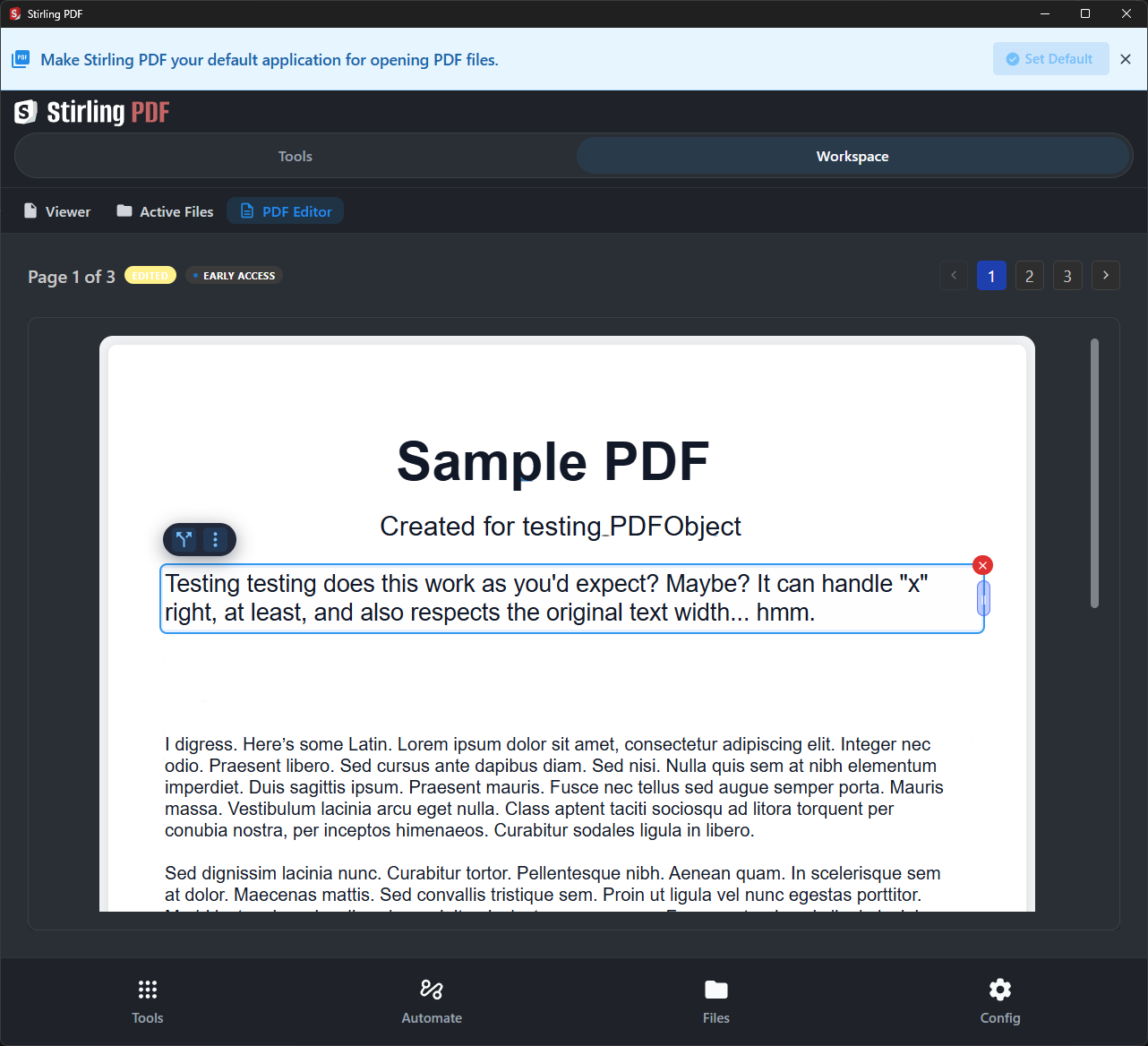
Stirling PDF

Oldest and most mature of the bunch. Seems like the most direct drop-in replacement for Acrobat Pro, maybe? And plus it’s vendor-supported (if you want their team/enterprise product, which mostly just adds some account and syncing features); it’s free for personal use otherwise. Hundreds of maintainers: GitHub - Stirling-Tools/Stirling-PDF: #1 PDF Application on GitHub that lets you edit PDFs on any device anywhere · GitHub

It runs on Java, though, which always gives me a bit of pause…

Edit: Also, it takes more of a “collection of tools” approach. Text editing is one of the tools, separate from the other ones. The overall flow feels frankly kinda overwhelming and I don’t like it at all… reminds me of 2000s CAD workflows, in a bad way :frowning:

Its text editing may be a little stronger than Open PDF Studio? Maybe? It’s an alpha, pre-release feature though.

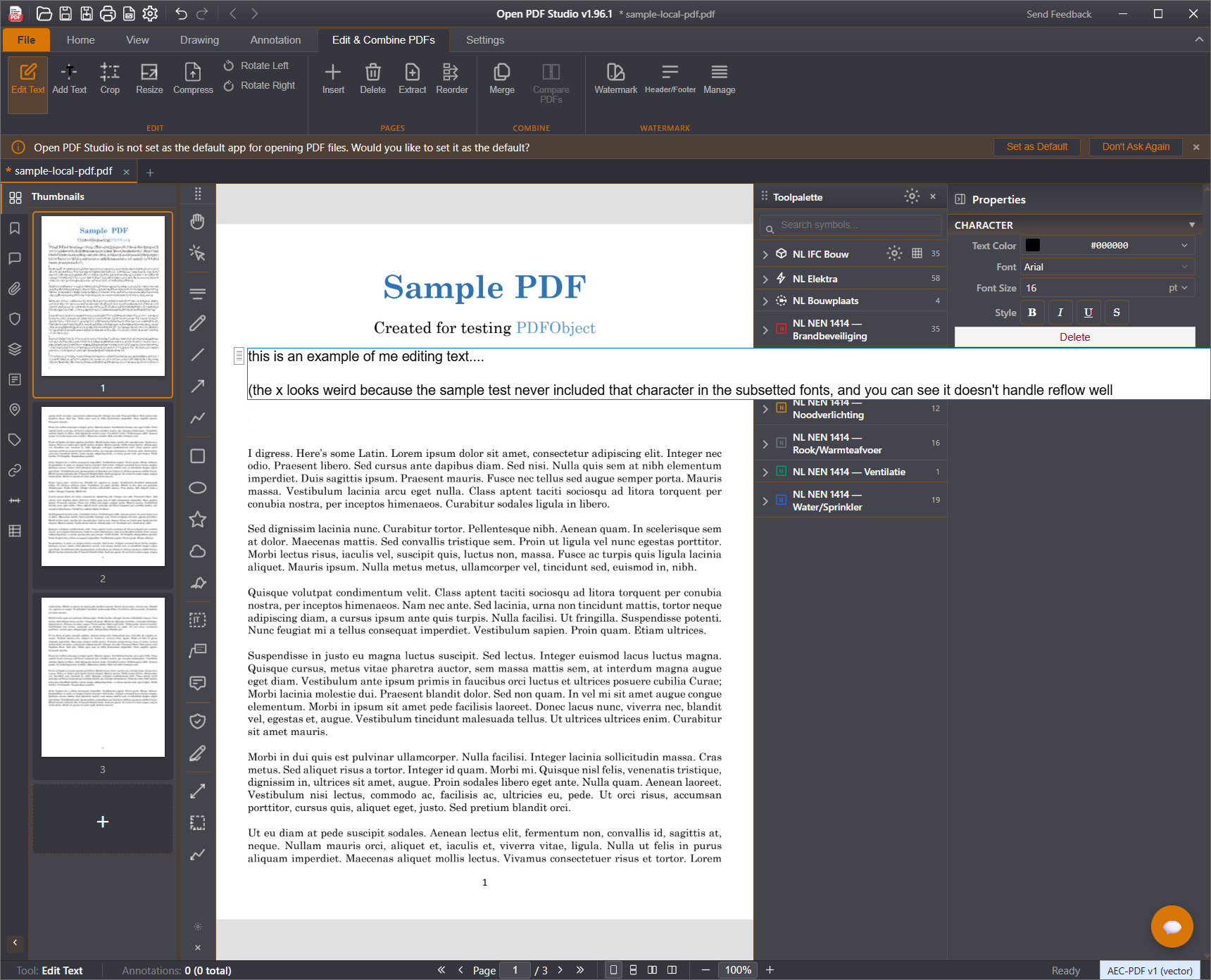
Open PDF Studio

It looks the most modern, is cross-platform, and is actively maintained by 12 people: GitHub - OpenAEC-Foundation/open-pdf-studio · GitHub

Edit: Personally I prefer this over Stirling. It’s much leaner and more focused, not super bloated. Its text editing is very basic right now, though.

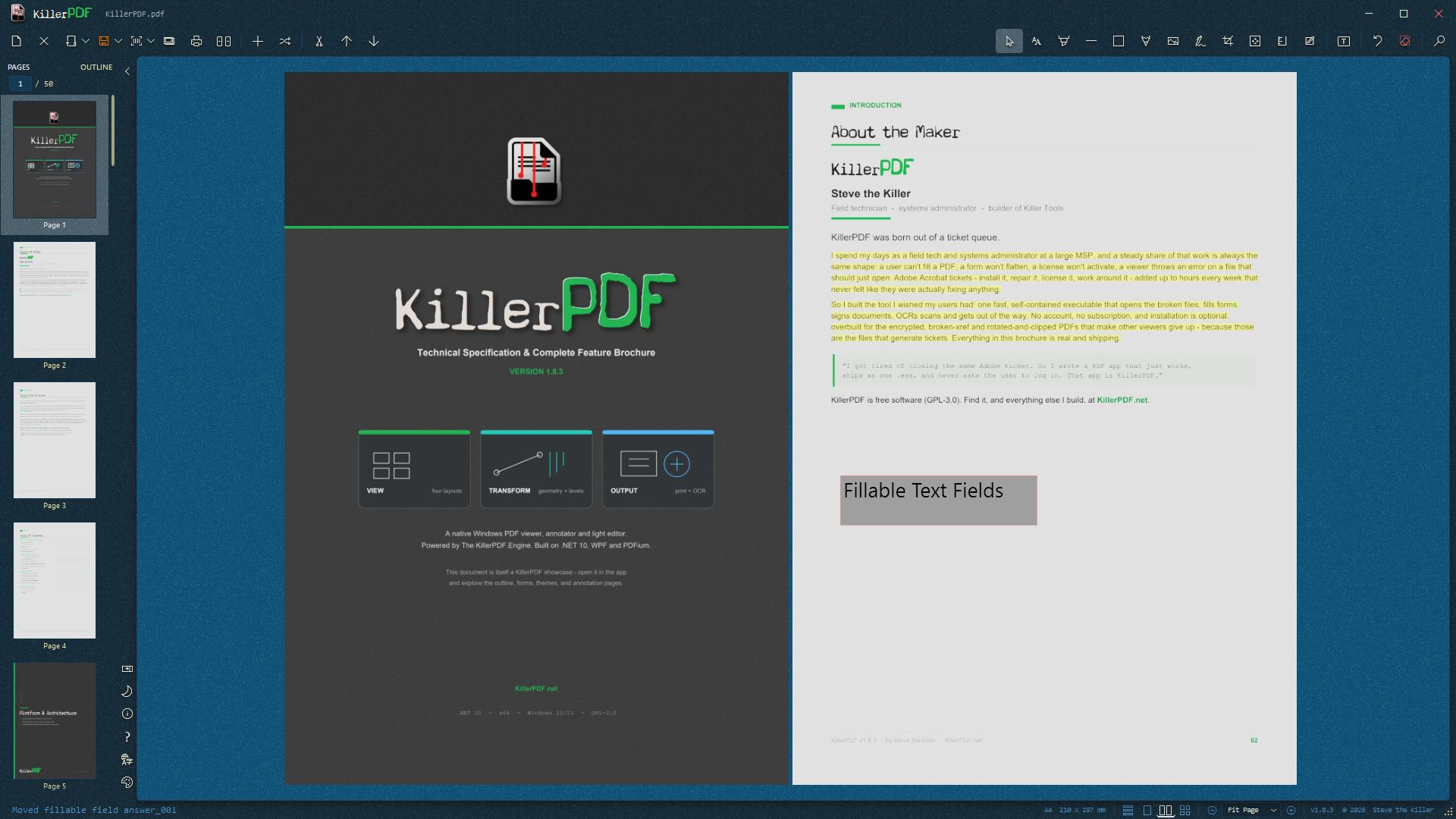
Killer PDF

Windows-only, but simplest of the bunch. Also actively maintained by 16 people: GitHub - SteveTheKiller/KillerPDF: Free and open-source PDF editor for Windows with a built-in PDF 2.0 engine. View, annotate, OCR, merge, split, crop, rotate, compare, edit text, draw, sign, fill forms, print, flatten, and open password-protected PDFs without a subscription. · GitHub

Since Windows 10, if not before, “print to PDF” is built into the OS. So any / every Windows program that can print anything can create a pdf.

No third party app required at all.

Pdf’s are often locked to provent changes.

For example, a esign doc is sent for a signature. It’s a contract and can’t be modified.

I use FoxIt. It has a pdf to Word feature that’s very useful.

A 2 week trial is available.

That’s only sort of true… that scheme really only works for certain PDF readers. It’s pretty trivial to take a locked and signed PDF and make a modified copy of it that looks just like the original.

The real protection is trusting a company like DocuSign to vouch for a PDF you download directly from them, and then validating the electronic signature for it (not just the human autograph). Pretty much nobody is going to do that, so it’s easy to just send someone a PDF that looks protected but is fake.