Midjourney image/video creation tool

I decided to sign up for a premium google AI account so I have access to some of the advanced tools like flow. Flow actually has a 2x 4x option when you generate images and videos, like midjourney, where you can crank out 4 variations on a prompt in one go. Which I thought would be great. But it has none of the midjourney deliberate variation. It basically always creates the same “idea” of an image with 4 subtle variations. In practice, it’s like creating one image and then running 3 “vary subtle” passes on the 3 other images. Which… is almost useless. Midjourney will give you 4 genuinely different takes on the same prompt. Flow gives you one take, and then says “but what if this guy had a beard” or “what if the camera was 5 feet to the left” or “what if the building on the right was a different architectural style” - it’s not not a substantially different take on the idea at all.

I’m a little surprised that no one has tried to copy the midjourney creative workflow because it’s genuinely different and novel compared to all the other image generators. It’s sort of a journey of artistic discovery, curation, iteration… and none of the other AI systems I’ve used so far even come close in that regard.

But… on the negative side… midjourney’s “trash” function is obnoxious and I hate it. You can “trash” an image but it doesn’t do anything significant. It doesn’t delete it or mark it for later deletion. It doesn’t hide it. It dims it in the create view, but it still takes up space. you still have to scroll past it.

It does hide it by default in the organize view, which is good… but I spend most of my time in the create view, and I end up having to scroll through lots of images that I’d rather have hidden or deleted. I can’t understand their UI logic there.
Midjourney’s UI was sort of retrofit around the bot. Originally, they just had the Discord bot and the only thing you could do on the website was view images, vote and see the Hot/New feeds. There was no image creation, editing, etc available via the website. Since then, they’ve been trying to maker the website the main portal with mixed results in part because they ALSO still have it pinned to the main Discord bot function and the inability to remove something from Create is probably tied to that.

On Discord, assuming you’re using the bot in a channel and not in private DMs, anyone else with an account can take your results and click to make variants, upscales, outpainting, etc. So they can’t really fully eliminate anything you created because it might be tied to someone else’s creation. They can remove it from your image catalog and hide it from view for others to see/manipulate but they won’t remove it fully from the system. With the prior website and Discord reliance this didn’t matter but it looks like its web UI implementation is clunkier.

I almost exclusively use Discord via DMs with the bot or in a channel I have with friends so I’d never noticed.

(n/m, made a mistake)

(Hey, sorry again about yesterday. I hope you don’t mind me chiming in about this unrelated topic, but if you’d rather I butt out altogether, just let me know… no hard feelings.)

If you trash all 4 images of a set (or trash the entire row by hovering over the text prompt section), that entire set will go away.

With an ad blocker, you could individually hide trashed images within a set, but that wouldn’t really do much good since the rest of the row would still be there and taking up vertical scroll space =/

Silly UI indeed.

Not at all. I appreciate you. you’ve brought interesting things to the discussion. we had one misunderstanding and you gave everything a sincere re-read and I appreciate that. Everything is good.

You know what, you’re right. It’s load-bearing. Even if you delete 3 of the 4 images of a set, the last image of that set needs vertical space to work in the create tab - it still needs to “hold” the prompt and tool that created it. So… you’re not actually saving vertical space by deleting three. But if you delete all four, they disappear. That actually makes a lot more sense.

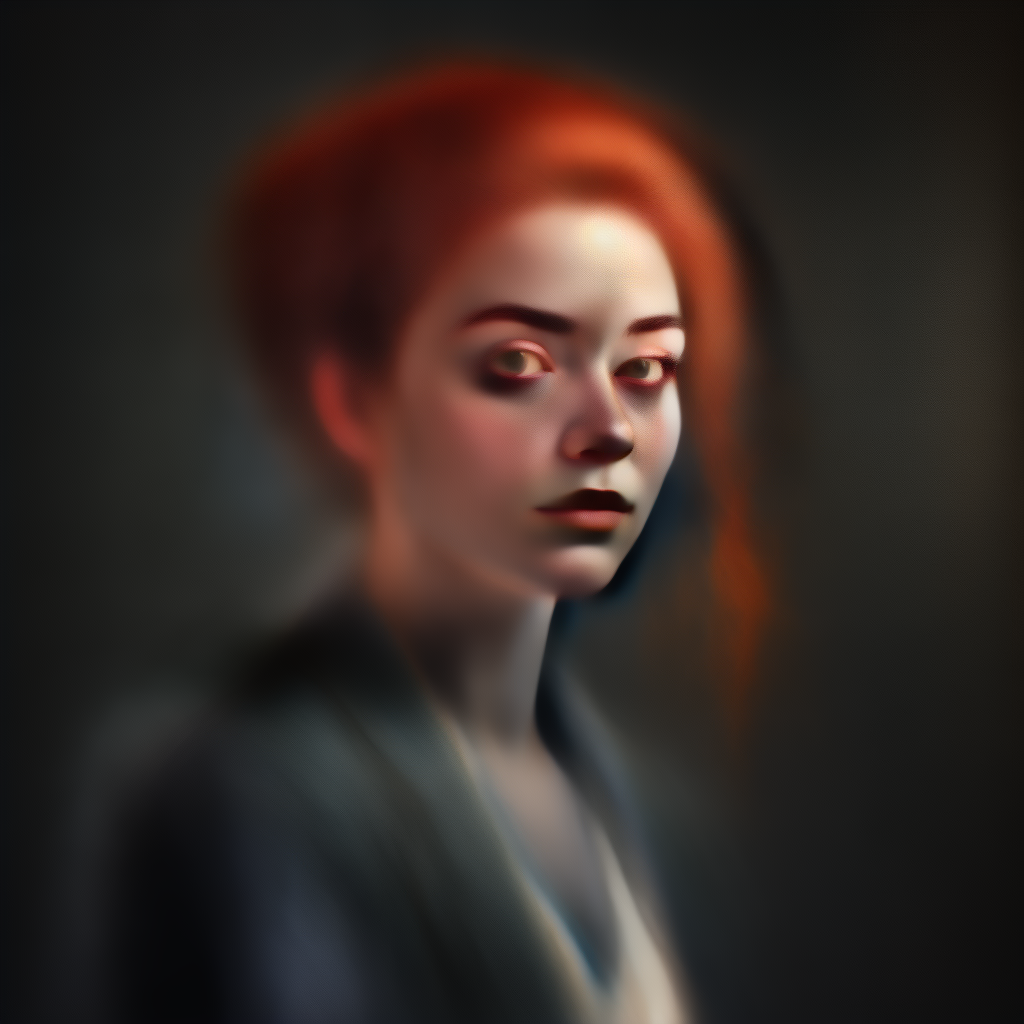
I discovered an interesting parameter. --stop. it no longer works with v7, so you have to use v6 to use it. It stops the diffusion process somewhere in the middle - whatever percentage you specify. So it’s like pulling a half-cooked dinner out of the oven. It’s probably not useful, exactly, but if you want to see how diffusion generators work (and they’re weird), it’s a fun experiment.

Here’s a --stop 35 -v 6 portrait for example. It’s already starting to take its shape but it’s only halfway there. --stop 20 produces haunting, inhuman results that are vaguely human shaped enough that they’re a bit disturbing. – stop 10 (the minimum it allows) will basically produce noise with perhaps the start of a colored blob where the subject will eventually be. a very vague shape. --stop 80 is most of the way there - but without the final stages of polishing, so they look sort of rough in an interesting way.

If I was the art director on a low budget horror movie I might use stop 10 to 20 as a way of generating free creepy images. Put them on a flickering tv, or perhaps paintings on the wall in a dark room you can only partially see and they’re genuinely disturbing.

Heh, yea. The handsome Florida character could go around asking righteous questions… at the point of a fist.

Answer correctly: rock on devil horns gesture.
Wrong? Half-Wolverine blade.

“Do you like AC/DC?”
“Uhm, sure.”
shhling “AC/DC SUCKS!”
“I mean, their old stuff…”
blades fade, howls with tattooed wolf

I’m 3 days from the end of my first month and I realize how stingy I’ve been with my GPU time - I still have 10 of my 15 hours left. Because I’ve mostly generated images on low priority / queued mode, which is free (for paid users, I mean it doesn’t eat your GPU time). I was being too cautious and I guess I could’ve generated a lot more images quickly or done a lot more videos.

I suppose with 3 days left and no roll over I might as well go wild trying the animation system. Anyone have anything they’d want to test to see how well it does it?

I’ve been messing around with Kling for a few months. It seems reputable and reliable enough and there are plenty of YouTube creators posting reviews and instructional videos. It seems ok.

I like Kling because I can just buy tokens for creating stuff when I want without having to commit to a subscription.

Make it try to visualize the latent space, especially around different forms of the word “fill” / “filled”

Okay, I just used the omni prompt tonight for the first time and it’s INCREDIBLE. It preserves your characters incredibly well. You can take them from scene to scene.

I created this character tonight who I absolutely loved - a retro glamorous 50s movie starlet

And I decided to try out the omni reference to experiment with her.

There’s an “omni weight” variable between 0-1000 which basically means… how much of the character’s vibes are you bringing to the scene? 400+ and the character becomes the dominant factor of the scene. She’s well preserved, but her aesthetics bleed into the rest of the scene too. Whereas with something like 50 omni weight, it will try to balance between preserving the character but integrating her into the scene better. It’s whether she completely dominates the scene or participates in it.

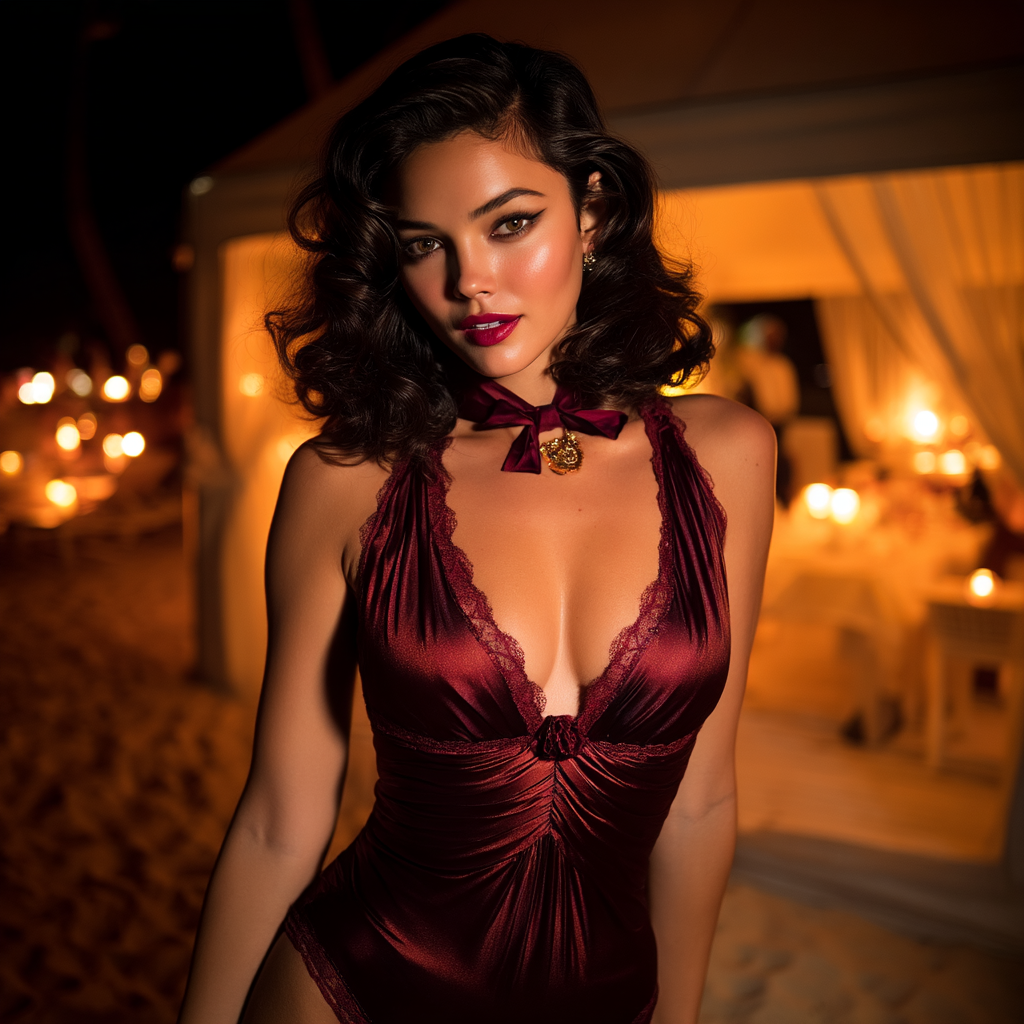
Prompt: “A woman at a beach” with the image I posted above as the omni reference. Omni weight 400. Result:

The omni weight 400 gave her aesthetic a strong pull. It strongly replicated her character and it even replicated the vibe - the image I’m getting her from has strong red vibes and so she comes with strong red vibes. So instead of showing me a clear day at the beach - where the red vibes can’t work - they put it in a fire lit night scene at a beach club, where the red-dominant aesthetic can work. Very clever.

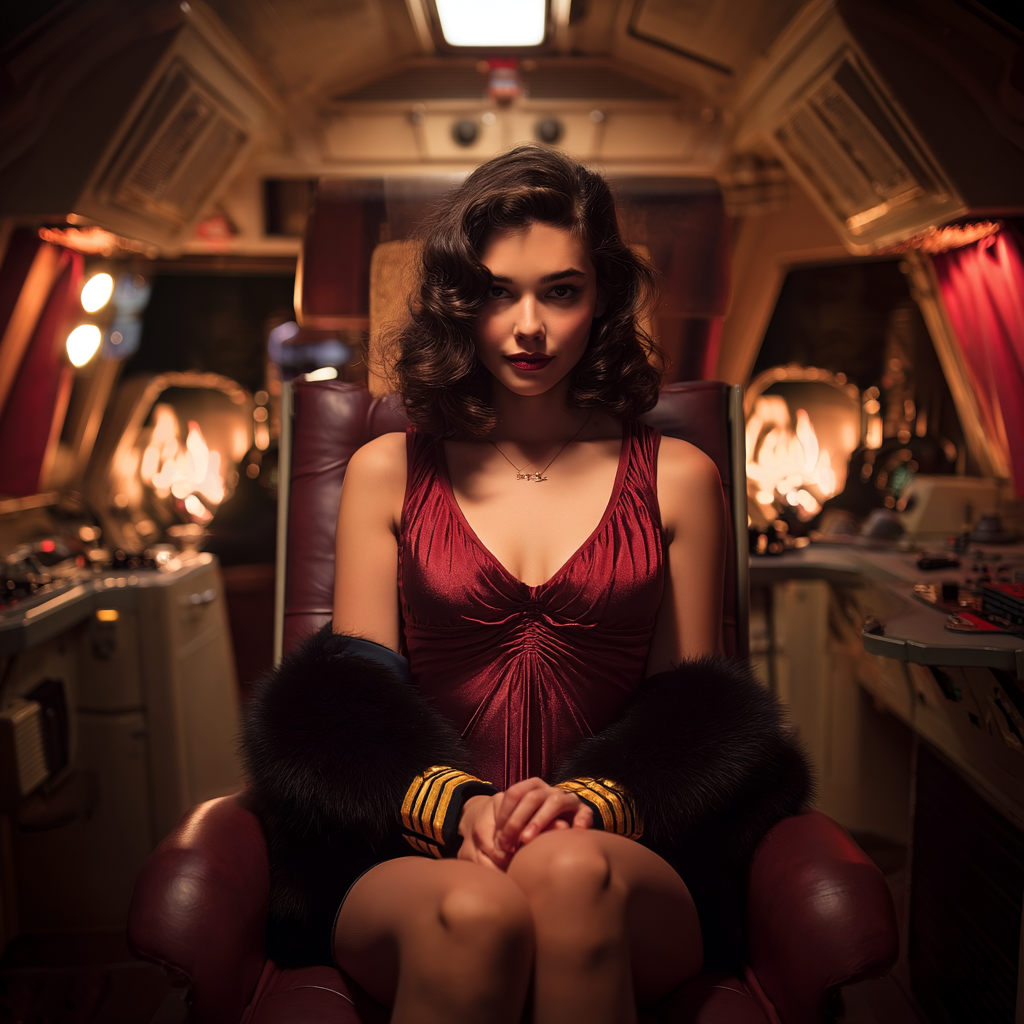
Prompt: A space ship captain. Omni weight 350

At 350 her vibe is still completely dominated the scene. the space ship is red, and more notably, the spaceship has fireplaces. Or fires burning in the background for whatever reason. Because the source image has her near a fireplace, it’s part of her aesthetic. She’s dominating this scene even though it’s plausibly a space ship.

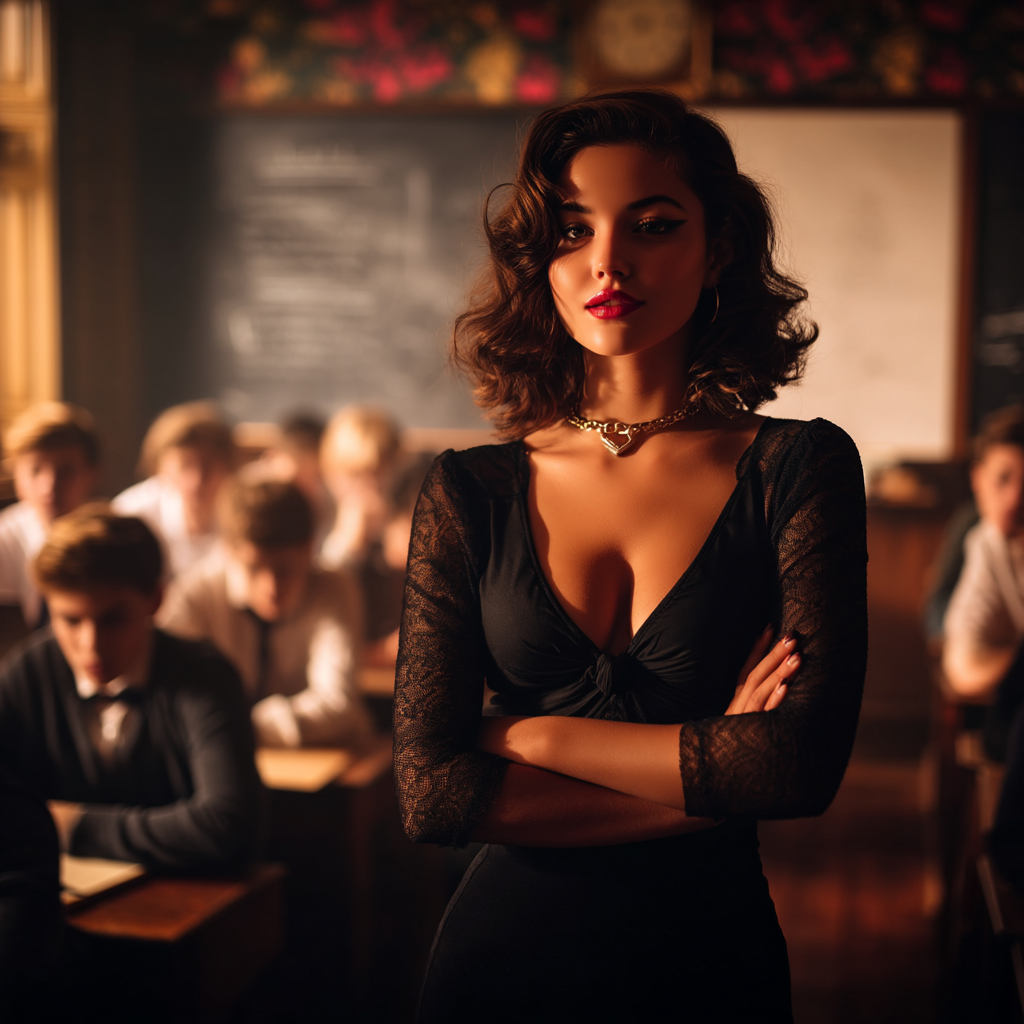
“high school teacher in front of the class” - OW 75

75 weight starts to strike a balance. There’s some red in this scene but she’s not dominating the scene in the same way. She still has recognizably the same face. But she lost the red dress, which has been up to now a canonical component in the character.

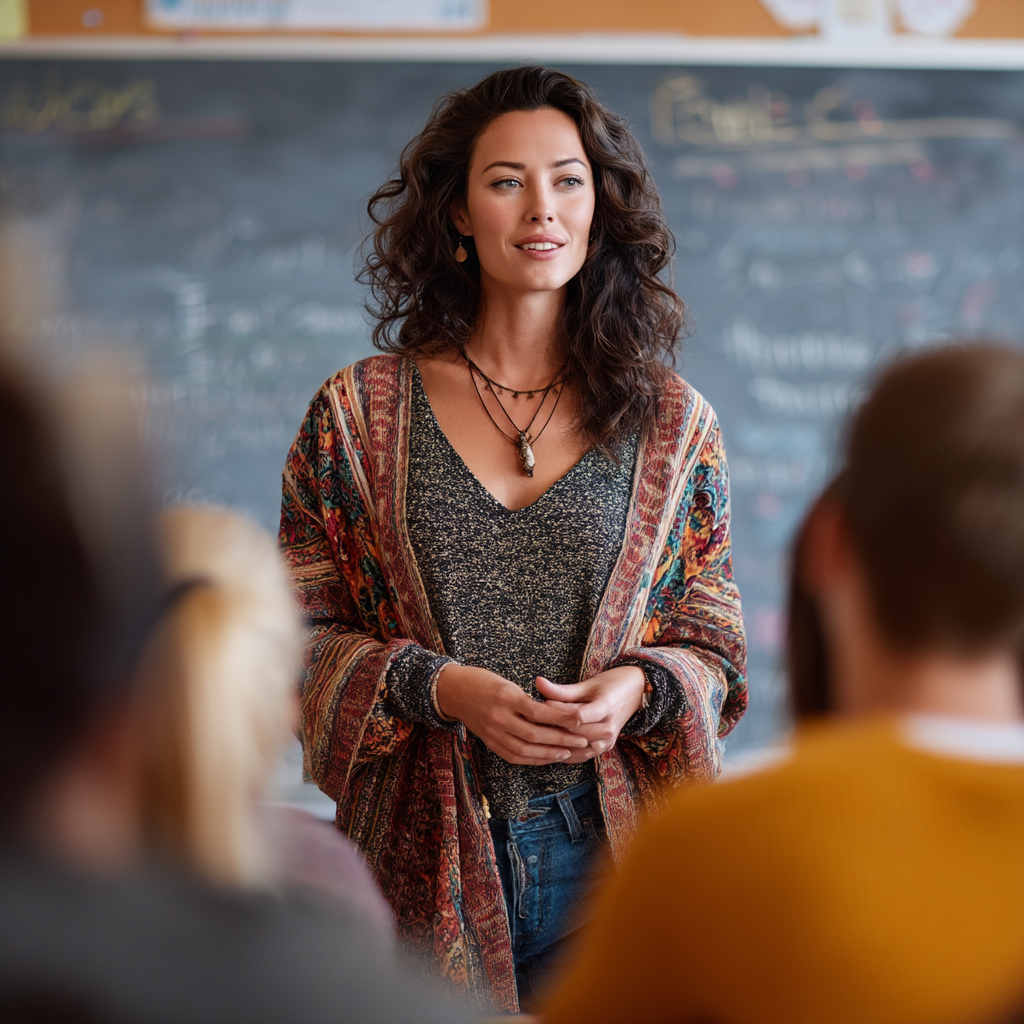
“A high school teacher in front of the class” - omni weight 25.

At 25, the scene dominates and she’s integrating into it, at the cost of her character. You can still see her face in there, but she’s lost her clothes, her look, the red, her hair.

Extremely interesting tool. I’m very excited to take some of the characters I’ve already generated and love into new places.

I thought I had posted this already but I guess not.

So when you bring an image composition into it (image reference) and a character/vibe reference (omni reference) I wondered – it’s basically a tug of war with both pulling in different directions, you have to find the right blend of weights. But then I thought – if they’re at parity, say both are low, and both are high, does that get you the same results?

And I thought of course not. It’s not one axis. it’s a triangle. The prompt is another corner of the triangle. If omni and image reference weight are very high, it will ignore the prompt for the most part. If they’re both low, the prompt would demonstrate.

It’s not too hard to understand but I made an infographic, well, Claude made it, explaining how it works. IW range is 0-3 I believe and Omniweight range is 0-1000 although it’s already extremely strong by the time you hit 400. The practical range on OW is probably more like 0-400.

Midjourney rolled out the 8.1 model a couple of weeks ago. 8 was a complete rewrite of their generation engine. They went too far down what ended up being a less future proof path and had too many hacks holding the whole thing together and accumulated massive technical debt so they decided they finally had to come clean and go with a new gpu-oriented pytorch engine and released v8. It’s massively faster than the previous generation - like 1/4 to 1/5 the same amount of time to generate images. It also outputs to 2048x2048 natively (if you choose HD) so you don’t even need to upscale. They only passed part of that computational savings to the user - apparently normal SD generations cost the user 20% less GPU time.

Anyway, people complained that v8 lost a lot of the aesthetic that people liked about v7. It was mostly the engine rewrite rather than an aesthetics focused version. So they launched 8.1 which is supposed to get back some of that v7 aesthetic on top of the new engine improvements.

I’m… not sure I like it as much as I like v7. I generated 4 runs each (16 images total) of 7 different kinds of prompts with v7, v8.1 raw, and v8.1 normal. The gap between v8.1 raw and normal is pretty big. apparently “raw” is supposed to allow a new level of prompt following compared to previous models. Raw was usually better.

In most cases, I found v7 > v8.1 raw > v8.1. V7 won 6 of the 7 runs (you could probably call 2 a tie between v7 and v8.1 raw), v8.1 was close behind and won one, v8 was in last place in all but one test, where it beat v 8.1 raw handily. So v7 was the best usually, when it wasn’t the best it was close behind. V8.1 raw was better than V8 across most instances.

I’m ambivalent about these findings. I think I’m gonna stick to v7 for a while.

I played around with the prompt: “a futuristic sniper hiding in a gothic horror forest”

And I gotta say it had a 90% hit rate on a really cool image. Awesome vibes.

But what’s funny is that

14 of the 16 images it generated decided that a “futuristic sniper” would obviously have big, glowing eyes. How else would you know it’s futuristic? Because that’s what snipers will do in the future. Put giant LEDs on their face while hiding in the bushes.

But you know what, the vibe is right. Midjourney is the epitome of vibes over function.

But one of the two images that didn’t have glowing eyes had impeccable vibes too

I’ve been using the permutation system where you specify a bunch of parameters up front and it creates a batch for each version. For example “a model with {blonde;black;brown} hair” will generate 3 batches of images, one with each permutation.

I’ve been using it to compare v 7, v 8, and v 8.1 raw by using this permutation at the end of every prompt.

-{v 7, v 8.1, v 8.1 --raw}

I’m not sure which one I like most for sure. V7 probably wins on average but now that I’ve had more experience v8.1 and raw come up with some great images too. Has anyone been testing out 8.1?

Small correction, it’s a comma between permutations, not semicolon.I didn’t want to give anyone the wrong advice. You can also multiply permutations. A {man,woman} in a {sports car, helicopter} would give you 4 jobs (16 images)

Permutations are a really good to learn midjourney’s parameter system. Something like --stylize {0, 100, 500, 1000} really lets you see what that parameter is doing.

I had mentioned that while google flow can generate 4 nano banana 2 images at a time, it still can’t replicate the midjourney workflow because those 4 responses to the prompt were too similar to really examine the idea space. But that actually has changed sine then. Google released a massive flow update which puts an optional “agent” in the flow tool – you can describe an idea to the agent, and then it generates the prompts. So you can say “I’m thinking of an image of [description], please draw 4 different takes on an image”

It’s still not going to give you something as wide as midjourney’s --chaos 50, but it’s meaningfully better than the previous flow / nano banana “vary small” variety. That said, I still kept my midjourney subscription anyway. It generates such beautiful work, the workflow is so free flowing, the iterative tools are good, the parameter customization so deep – I find good uses for midjourney and flow both.

I’ve been having an interesting time imagining things as tabletop miniatures. Just give it an idea and add “as a tabletop miniature” and you get results like this:

It’s not just the scale - the rough water is represented by the sort of spray on foam and gel that real tabletop artists use to simulate running water. the figure shows brush strokes of hand painting. It’s a whole detailed aesthetic.

“Ancient Rome as a tabletop miniature”

Putting stuff in a snow globe or a glass terrarium can be pretty interesting too.

“Ancient Istanbul in a snow globe”

I assume they’ve been tweaking 8.1 as they go. I doubt they retrain the entire model because training is a huge and expensive process, but they probably tweak their own aesthetic layer like how they stylize images. When I ran the tests a couple a days after 8.1 came out, 7 clearly beat 8.1 across most of the prompts I compared, but today I find it’s a lot closer and I like the 8.1 outputs more often.

Sometimes as an iteration tool I, well, I guess it’s sort of like Midjourney “telephone”, the game where you pass along a half-heard message whispered in someone ear. I’ll start with an image I like, like this one:

And then I’ll use the “describe” tool on midjourney, which uses machine vision to look at an image and describe the elements. In this case, it described that picture as:

“an epic fantasy scene features a prominent, dark, futuristic tower with glowing orange accents, including a large circular portal of light in the sky above it. a bright orange river flows from the tower through an intricately detailed city below, which is bathed in the same warm glow. in the immediate foreground, a person with a weapon and a backpack, which has a glowing orange detail, surveys the grand vista from a rocky overlook. the surrounding landscape includes mountains, a coastline with crashing waves, and a dramatic cloudy sky illuminated by the fiery orange light.”

And then you can simply click that description and feed it in as a new prompt, and generate.

Which gave me this result:

Which I think is pretty interesting. You can see the shared heritage, but you can also see where the generate → describe → generate that description process was imprecise enough that it changed a lot of the elements. The “orange river” the machine vision saw was really just some water being illuminated by the glow of the obelisk, but the description → generation process turned it into a full blown river of lava. I find it to be an interesting way to explore an idea from time to time and sort of deliberately introduce a creative drift while you’re exploring a space.

Well if anyone is using midjourney out there, I thought you might appreciate these. The lack of hotkeys on the web interface annoyed me so I had a script made to add some. This script is to my preferences obviously but it’s relatively easy to modify it for yours. By default, D = download image, S = spotlight image, L = like image, T = trash, V = vary strong, B = vary subtle, R = rerun. Everything else I use infrequently enough that clicking is fine, but you just need to find the button name via “inspect element” if you want to add any functions.

This is a tampermonkey script that turns

// ==UserScript==
// @name         Midjourney Ultimate Custom Hotkeys
// @namespace    http://tampermonkey.net/
// @version      1.1
// @description  Adds custom hotkeys for Download, Spotlight, Like, Trash, Vary Strong/Subtle, and Rerun
// @match        https://*.midjourney.com/*
// @grant        none
// ==/UserScript==

(function() {
    'use strict';

    // Helper function to find buttons by their inner text content
    function findButtonByText(text) {
        return Array.from(document.querySelectorAll('button')).find(el => el.textContent.trim() === text);
    }

    document.addEventListener('keydown', function(e) {
        // CRITICAL: Stop shortcuts if you are actively typing a prompt or searching
        if (e.target.tagName === 'INPUT' || e.target.tagName === 'TEXTAREA' || e.target.isContentEditable) {
            return;
        }

        const key = e.key.toLowerCase();

        // 1. DOWNLOAD IMAGE ('d')
        if (key === 'd') {
            const btn = document.querySelector('button[title="Download Image"]');
            if (btn) btn.click();
        }

        // 2. SPOTLIGHT IMAGE ('s')
        if (key === 's') {
            const btn = document.querySelector('button[title="Spotlight Image"]');
            if (btn) btn.click();
        }

        // 3. LIKE IMAGE ('l')
        if (key === 'l') {
            const btn = document.querySelector('button[title="Like Image (L)"]');
            if (btn) btn.click();
        }

        // 4. TRASH IMAGE ('t')
        if (key === 't') {
            const btn = document.querySelector('button[title="Trash Image"]');
            if (btn) btn.click();
        }

        // 5. VARY STRONG ('v')
        if (key === 'v') {
            const btn = findButtonByText('Strong');
            if (btn) btn.click();
        }

        // 6. VARY SUBTLE ('b')
        if (key === 'b') {
            const btn = findButtonByText('Subtle');
            if (btn) btn.click();
        }

        // 7. RERUN ('r')
        if (key === 'r') {
            const btn = findButtonByText('Rerun');
            if (btn) btn.click();
        }
    });
})();

Bonus script if you happen to use midjourney on a mobile device, this allows you to swipe to scroll left and right through pictures. Midjourney’s interface team seems… undermanned. No native mobile app is kind of remarkable, especially after they ran the service through a discord app for 2 years. But even the web app doesn’t have native swipe to scroll functionality which is like day 1 intern stuff.


// ==UserScript==
// @name         Midjourney Tablet Swipe Navigation
// @match        https://*.midjourney.com/*
// ==/UserScript==

(function() {
    let touchstartX = 0;
    let touchendX = 0;
    
    // Minimum distance in pixels to count as a swipe
    const swipeThreshold = 80; 

    function handleGesture() {
        if (touchendX < touchstartX - swipeThreshold) {
            // Swiped Left -> Go Next (Right Arrow)
            window.dispatchEvent(new KeyboardEvent('keydown', { key: 'ArrowRight', keyCode: 39, bubbles: true }));
        }
        if (touchendX > touchstartX + swipeThreshold) {
            // Swiped Right -> Go Previous (Left Arrow)
            window.dispatchEvent(new KeyboardEvent('keydown', { key: 'ArrowLeft', keyCode: 37, bubbles: true }));
        }
    }

    document.addEventListener('touchstart', e => {
        touchstartX = e.changedTouches[0].screenX;
    });

    document.addEventListener('touchend', e => {
        touchendX = e.changedTouches[0].screenX;
        handleGesture();
    });
})();

I’ve been comparing the models a lot and I can say that if you want endless portraits of impossibly beautiful people, v7 is a significant step ahead. If you want a more realistic range of attractiveness - people that are still attractive but look like plausibly normal people rather than almost unrealistically beautiful people, v8.1 does better at that. I wonder if it reflects a change in attitude at Midjourney, as producing beautiful things and people above all else seems like their driving philosophy - so it makes me wonder if making more realistic, less idealized attractive people in v8.1 was a deliberate choice or a failure to uphold the aesthetics of 7.

It may be the training data, too. V8.1 looks like it may have been trained on “real picture of a beautiful model” and v7 looks more like “airbrushed, photoshopped perfection.” you would see in fashion magazines.

It’s funny that this thread was originally started on April 1st, but was actually serious…

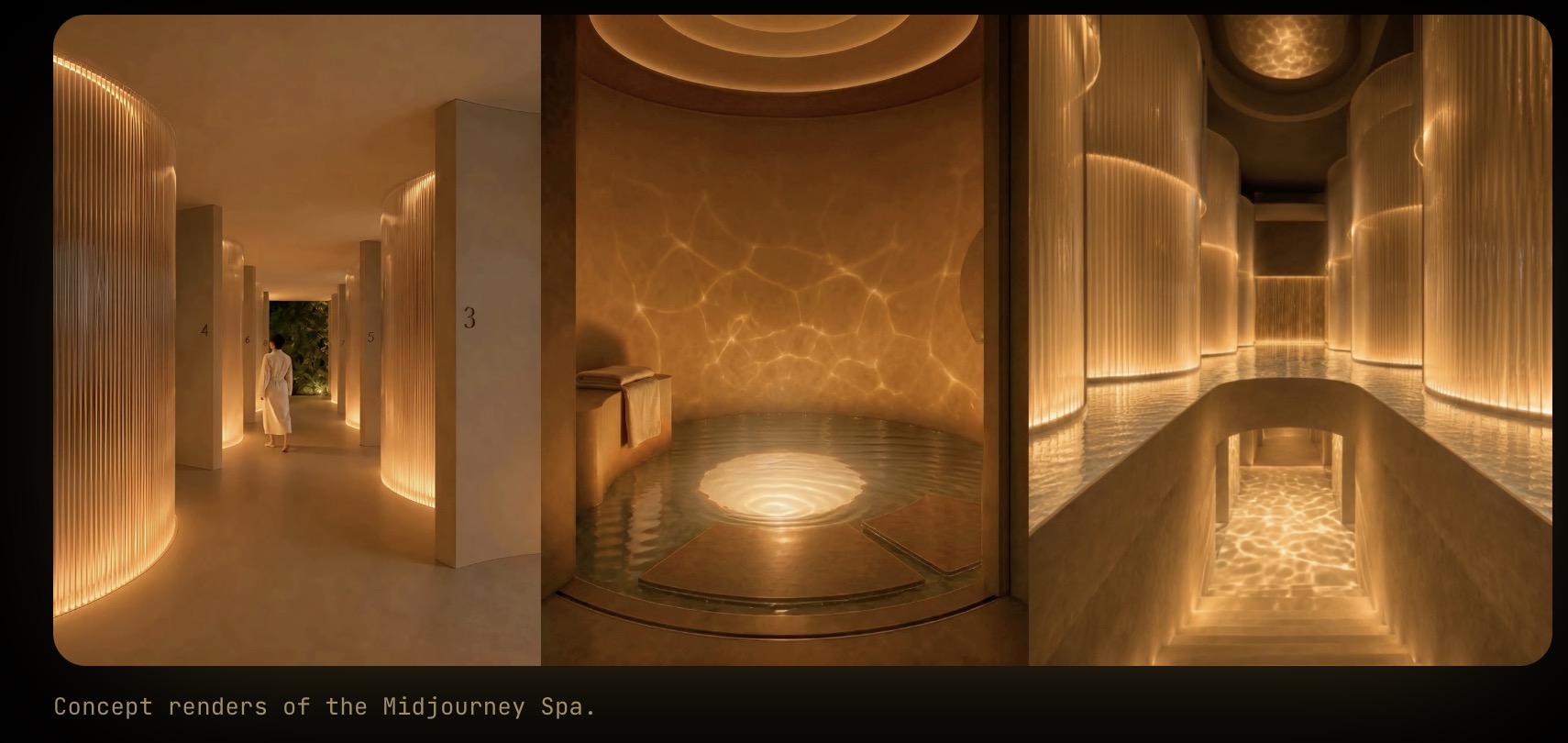
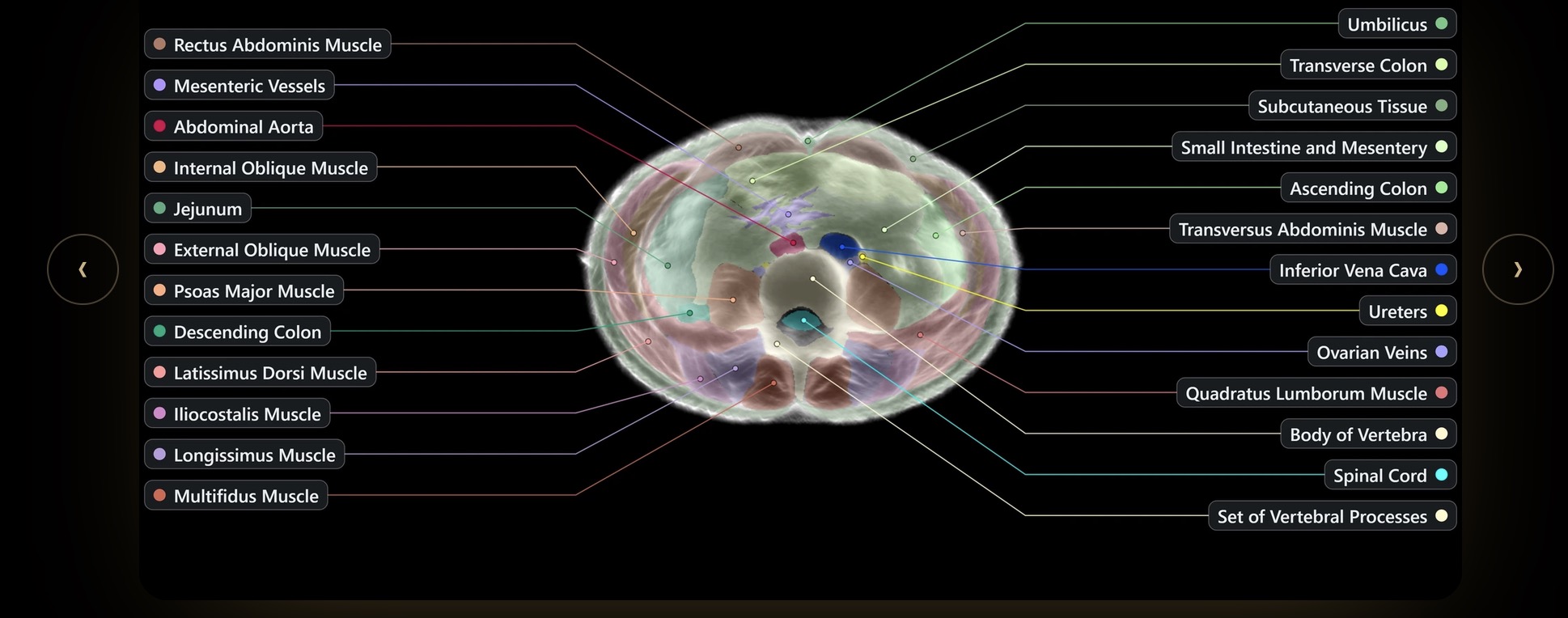
But now, a couple months later, Midjourney has decided to pivot from generative art into, uh… AI-powered underwater body scanners using dolphin-like ultrasound in fancy San Francisco spas filled with golden light… https://www.midjourney.com/medical/blogpost

Go here:

And get CT-scan like imagery of your body in under 60 seconds…

I can’t even make this stuff up, lol.

By 2031 they want to be scanning a billion people a month. How’s that for training data for SenorBeef’s next project?