Next year our group is inviting local congressional candidates to speak at our monthly in-person meetings, and we want to live stream them to Zoom.
They will be held in a meeting room that holds about 100 people, and we will want something better than a standard web cam, since the speakers are likely to move around the room. I’ve been looking at pan-tilt-zoom (PTZ) webcams like this one.
I also have a Canon DSLR with several zoom lenses that I could set up and operate manually, but I’m not sure if or how I could feed that into my computer for a Zoom call.
Then there’s the sound issue. The room has a sound system with two wireless mikes, but I’m not sure I can get a feed out of that system to my computer. If I can, how do I get it into the Zoom feed? If I can’t, is it likely that the built-in mike on a web cam would be good enough? If I use the DSLR, how do I get audio into the stream?
I used to be in television production, but sadly that was before everything went digital, so although I have ideas for how it might be done, I just don’t know enough about how the new (last 20 years) tech works to know how to set it all up.
(Amateur experience only… this is something I’ve seen done poorly many times, so I can at least share some things to avoid, if not quite how to do it well…)
First, is there any local production company, maybe with event livestreaming experience, that can help you set this up (if you have a budget, or they’re willing to donate some time)? There is a lot of ways this can go wrong, and it’s not an easy thing to do to a professional standard. Ideally they can bring their own equipment and expertise.
If you really want to try DIYing this:
The quality on most webcams aren’t great. The sensors are too small and the lenses are poor. It’s probably enough to get the image across, but don’t expect broadcast-like quality, or even cellphone like quality. In fact, if your cell phone has a telephoto lens, it would probably be better than almost all most webcams.
There are a few larger-sensor webcams from the likes of Elgato and Insta360 that you can look into.
Depending on the model, there is usually a way to connect it to a computer and use Canon’s software or open-source ones to capture it live. However, many of their DSLRs have a hardware limit of 30 min of recording at a time — ostensibly due to overheating, but probably more just because they don’t want to cannibalize their video cameras.
The picture quality of this will be much, much better than a webcam.
Is there a microphone receiver, amplifier, anything like that in that system? If it has a 3.5 out from the mics, or if you can get an adapter from its normal outputs (maybe XLR?), you might be able to send one output to a laptop with such an input, or use a USB capture device if not.
If something like that isn’t viable, I’d consider getting some USB wireless lapel mics and connect them directly to the computer. These, for example, are very very good: https://rode.com/en-us/products/wireless-micro?variant_sku=WIMICRO. They have phenomenal voice pickup and noise cancellation, even when the two speakers are next to each other and each wearing their own mic. This will sound much, MUCH clearer than audio from the webcam or a DSLR, even with a supercardioid mic attached. But you really need to test and rehearse a system like this before the live presentation to make sure it doesn’t cause or pick up any interference from the in-room audio system.
DJI also makes a similar wireless mic, and there are variants with onboard recording as well (in case you want that in addition to the live streaming, just so you have a backup of the speech in case of a network blip).
It would probably be better to use something like OpenBroadcasterSoftware (OBS) as a mixing board of sorts, so you can combine various cameras and/or mic inputs into a single virtual video first, controlling the inputs of each in a UI designed for doing such, and then feeding that combined stream into Zoom. You can also simulcast it to YouTube and other channels if your upstream bandwidth allows that. Zoom itself should allow you to select a different camera from a microphone, but it’s the sort of thing that’s pretty finicky… fine if you’re just in an average office meeting, but for something important, you would ideally want a more resilient system that you’ve thoroughly tested beforehand.
It’s all pretty complicated, sadly, and why there are professionals doing this with specialized equipment…
Thanks, all, for the suggestions, especially @Reply, who has been consistently helpful with several of my technically oriented queries here.
Your thoughts about this project’s level of complexity mirror mine, especially as I have looked into the situation more deeply, and I think your suggestion of finding a pro is probably best.
Another alternative is to record the session with a single camera of some sort, but not transmit it live, and post the recording online later. Even that option is fraught with complexities, but not quite so many as the live option.
You’re welcome. I hope you figure something out. Sounds like a worthwhile event.
Yeah, exactly. I had to do something similar for a community choir recently. The performance only lasted an hour, but the planning and setup took several hours, and the post-event editing took several more. The hardest part was having to record each singer, using a USB condenser mic connected to a separate laptop placed on the stage just for that purpose, and then merging and syncing the audio into the video stream afterward (should’ve had a clapboard!)
Having an up-close mic helped a lot, but even then, there was still too much crowd noise and I had to run the audio streams through Audacity’s noise reduction filter to clean them up.
The whole process took forever and I never want to do that again.
I would have absolutely no faith in my own ability, at least, to run such a setup live… the last thing you want is for technical difficulties to interrupt a political event with people who are already stressed out and worried about everything else that’s going on.
As an aside, there are also products beginning to be made to handle situations similar to this (a room with multiple speakers), though they’re usually meant for smaller workplace meetings rather than big live conferences:
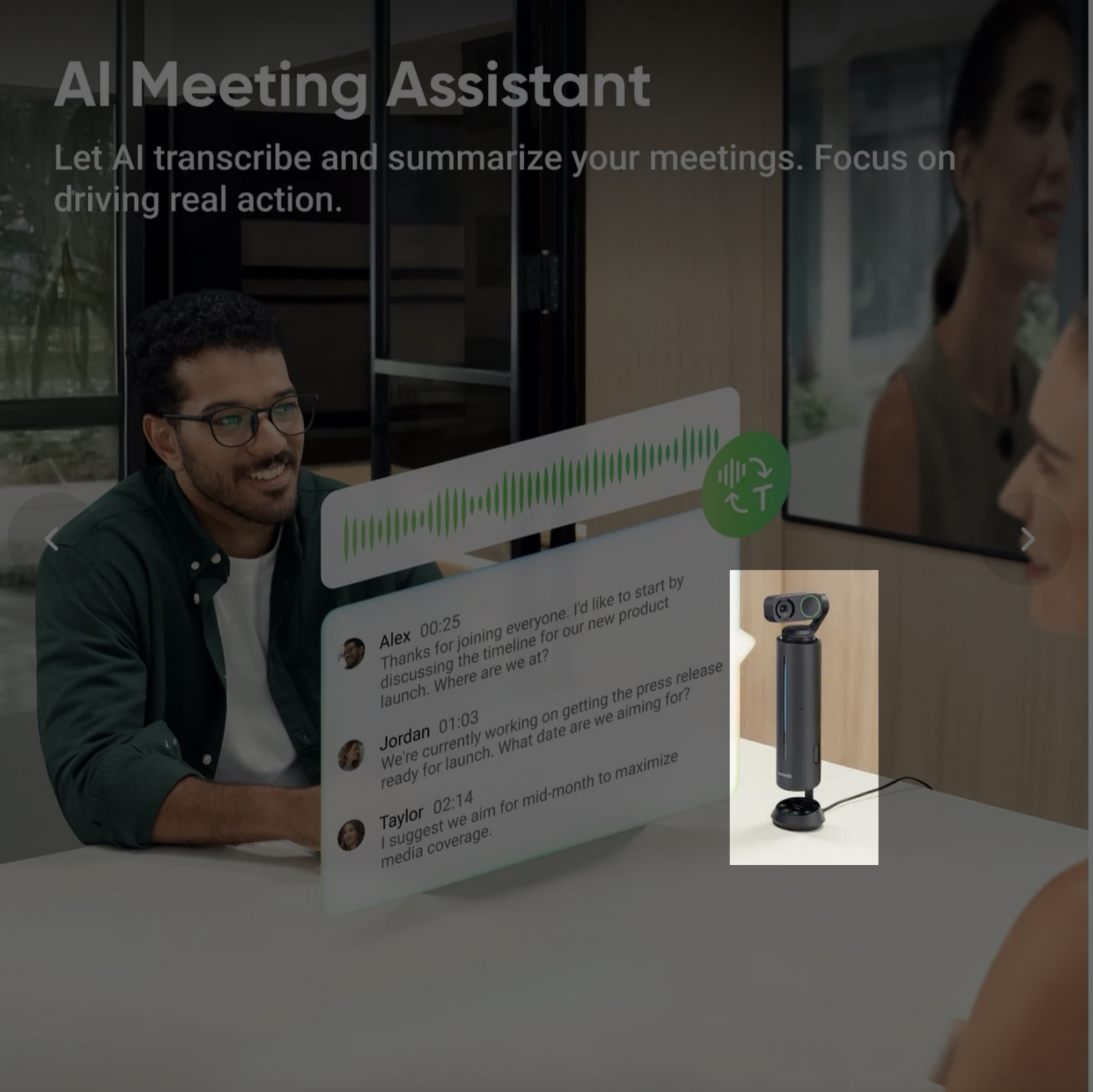
One example of a new niche product for meeting recording
One such solution was this Insta360 Wave room mic, which can be combined with their servoed webcam:
It’s similar to the first-gen Alexa (Amazon Echo) in that the cylinder actually houses a microphone array so it captures individual speakers from different directions. It then triangulates their position and automatically rotates and tilts the camera to face the current speaker, almost like an automated turret. It also uses onboard noise cancellation and machine learning to make each speaker clearer. It also transcribes and translates them using AI models.
All good in theory… and in practice, in a small classroom environment with a professor and several students, it actually worked slightly better than I expected, but not quite as well as I’d hoped. I tried it out a few times and returned it in the end.
Interesting idea, but needs a few more years to develop, I think.
And it would still only work for smaller meeting rooms, like where everyone is sitting around the same table.
Something like that still wouldn’t work for an auditorium-type setup, though, where you need a telephoto lens from the back combined with a close-up mic upfront. (You can get wireless mics for cameras and video cameras that do this, though, and that would certainly make the recording part easier.)
The hardest part of all this, IMHO, is that fundamentally you don’t want the mic where the camera is (typically at the back of the room), so you have to find a way to join the streams, or connect an external wireless mic directly to the camera.
PS I was WRONG about the 30-minute limit. That ONLY applies to the HDMI output, apparently, NOT to streaming with the webcam app:
When you are using the EOS Webcam Utility with our cameras there is not a time limit. Through the EOS Webcam Utility the camera will continue to output video as long as the camera has power.