I sometimes used Audacity in the 00’s to amplify a weak mp3 audio. I even used Audacity in the early 90’s.
I went to get it tonight and the worthless POS snuck MusicHub on my laptop
Whatever the hell that is.
Damn, bastards
We can’t even rely on the oldest and most reliable shareware anymore without getting screwed? I have a Audacity book guide on my shelf. Learned to edit music from that book.
I uninstalled that MusicHub shit and rebooted.
They installed it in my Startup folder. Virus check never warned me.
Sorry for the profanity. I hate being played for a fool.
I went back and confirmed that I was on their offical page. The so called download page has several confusing links to trick people into downloading something besides Audacity.
I’m getting old and my eyes aren’t good on glaring computer screens. They wouldn’t have tricked me 15 years ago.
I clicked the 64 bit and 32 bit for windows button. The Recommended installer. I used to always install shareware manually from a Zip file. But decided Audacity is such a trusted, legacy program that I could use their installer.
I thought that I hit the right download button.
My eyes, since cataract surgery just don’t focus as well on glaring monitors.
My fault, I guess for being over confident and not vigilant for tricks.
That was a bad scare. I’m just now configuring this laptop with all my favorite software. I have a lot of work flow planned. I’m taking a online Python class. I’ll key in and test programs.
It would be horrible to infect my work laptop on week 2.
They were bought by MuseGroup a few years ago (a music conglomerate that also owns MuseScore, Ultimate Guitar, the publisher Hal Leonard, and other properties).
Audacity was never shareware, really (it never had a for-pay full version). Rather, it was and is free and open-source, but that takes a lot of time and resources. It’s often a thankless job with the community demanding a lot of things for free. Sometimes developers burn out and the projects sell out or get sponsored, and ads like the MuseGroup crap are what you get if you accidentally choose the wrong downloader. In this case, at least the base program is still free and available and you can choose the version without MuseHub, but it’s not as obvious.
A lot of programs start out free but end up this way, sadly. Free software is a really hard to sustain ecosystem.
What do you mean by “resample”? Like bitrate, or…?
MP3 is a compression scheme, so yes, decompressing it and recompressing it back to MP3 will result in quality loss (usually imperceptible if you keep the same settings, but there nonetheless). Even your “original” MP3 is lossy; you’re making a copy of a copy, essentially.
If you go from MP3 to FLAC, there isn’t additional quality loss, but you’re still working with the limited, already-compressed information in the MP3. If you want to keep the highest quality, you’ll have to find either the original uncompressed audio or at least a high-quality compressed version (bitrate, sampling rate, etc.)
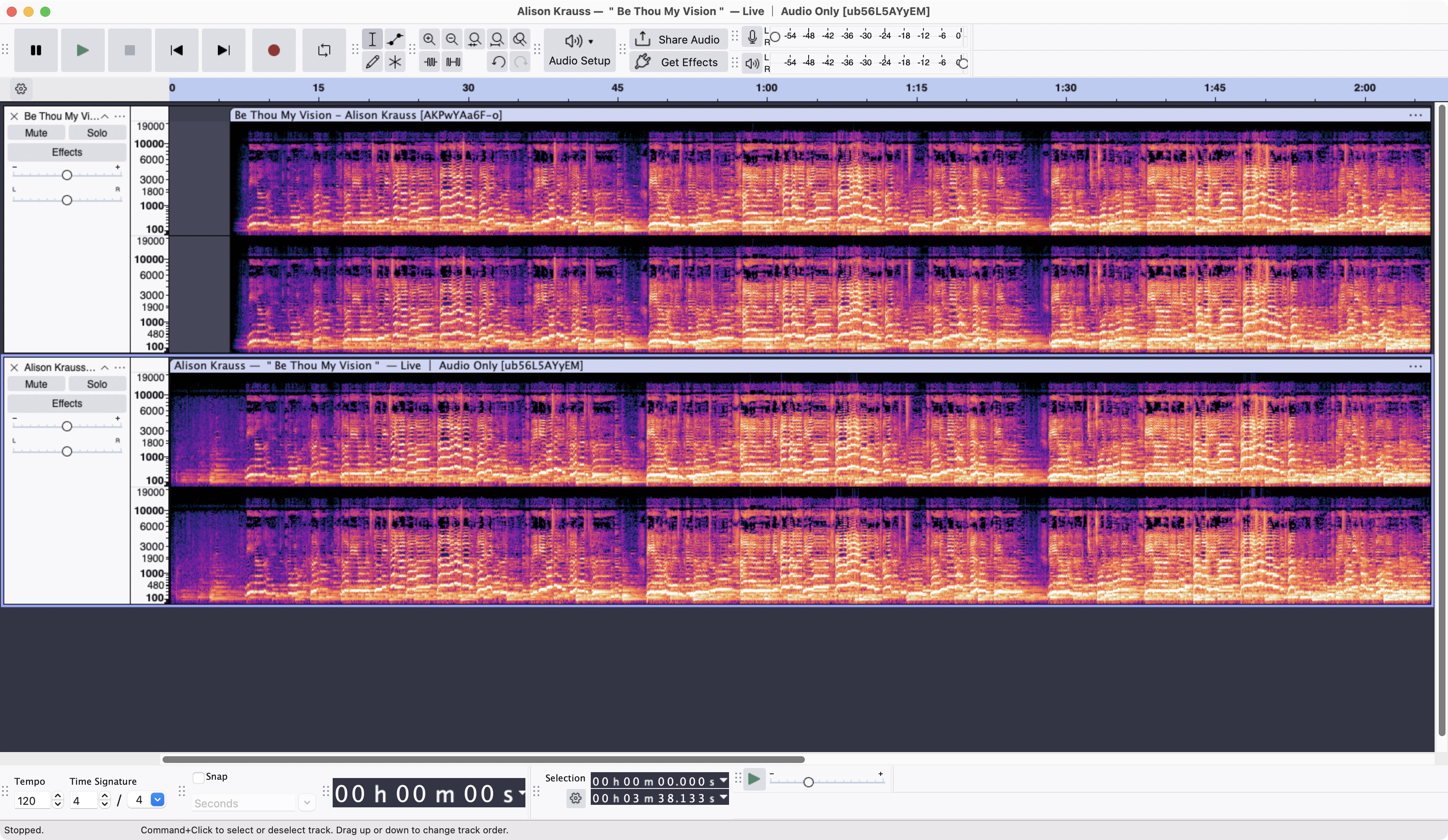
I’m not sure if that’s the same recording as this one: https://www.youtube.com/watch?v=ub56L5AYyEM (which has a slight period of background at the beginning, but otherwise looks the same to me):
Your version is at the top and the other YouTube video is below it… they look the same to my untrained eye:
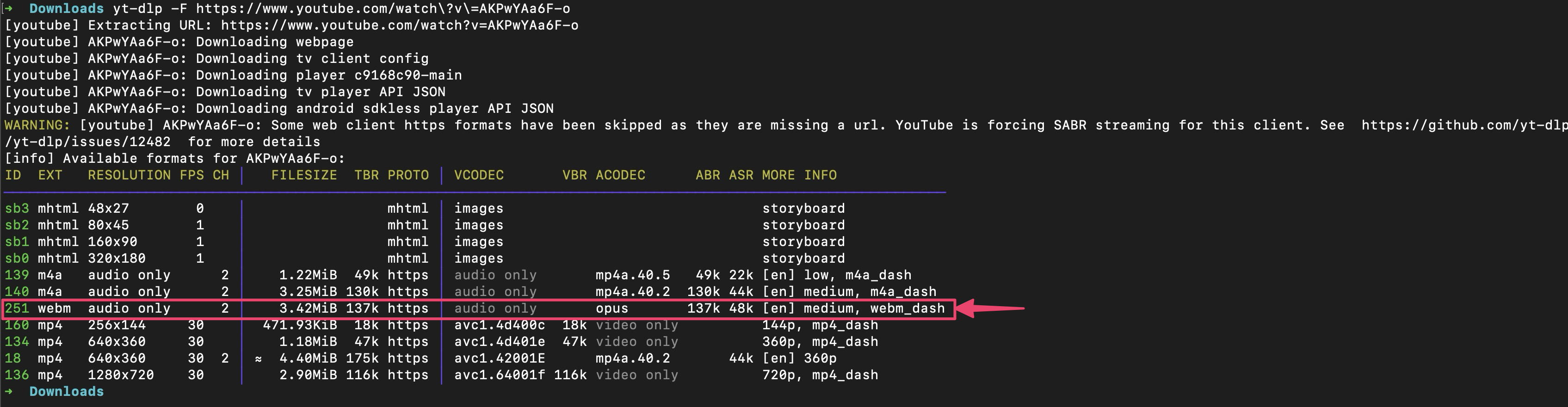
Anyhow, I don’t know if you saw this already, but yt-dlp says there’s a 137 kbps / 48 kHz Opus track in both of those versions (yt-dlp is an open source YouTube track downloader):
If all you have is a 128kbps MP3, the Opus is probably higher quality? Worth a try? You can compare their spectrograms to the MP3 version you have to see if there’s a significant quality difference.
I’ll try the Audacity separation too and see how it goes.
I DMed you a couple of files, both the downloaded Opus file (which Audacity should be able to open directly, as long you already have ffmpeg installed… Opus is just a newer, better audio codec than MP3) and the version I processed with Audacity (using the OpenVino music separation and loudness compression plugins).
The result is louder but far from perfect. Hopefully enough to learn from, though?
The music separation wasn’t great. If you can run the Opus through your separator and send me back the guitar track, I can try again (or just play around with the Loudness plugins in Audacity yourself… the Compressor with the Acoustic Guitar preset is a good starting point, and you can tweak the make-up gain further there). I don’t know what all the settings do either, but ChatGPT is pretty good at walking you through them.