I adapted to this nuisance 20 years ago.
i wouldn’t want it changed now.
Changing now would make my Touchpad almost unusable.
My laptop is old and been dropped. My touchpad doesn’t recognize the left side.
Touching anywhere acts like a right side touch. that’s why I normally use a mouse on this laptop.
`==========================================
i have wondered why a Touchpad is backwards?
Mouse
double click left button to open file or to open a web link.
single click left button to minimize a window or to open window from Taskbar
right click on a filename in windows Explorer to see context menu (rename,del,copy,paste etc.)
*IIRC a properly functioning Touch pad works like this…
Touchpad
double Tap Right Side to open file or to open a web link.
single Tap Right Side to minimize a window or to open window from Taskbar
Left Tap on a filename in windows Explorer to see context menu (rename,del,copy,paste etc.)
Both the touchpad and the mouse are configurable. And I’m not certain the touch pad “defaults” are even standard. But i reconfigure both every time i move into a new laptop, so i guess I’m not certain.
I almost exclusively use the touchpad. I don’t think I’ve connected a mouse to my work laptop yet, although they sent me one. I own two Dell laptops. But I’m left-handed, and like to use a mouse left-handed when i use one at all. So i always fiddle with the settings. I often change the sensitivity, too. (I’m pretty sure the default varies from setup to setup.)
Anyway, when you say
What do you mean? Typically, tapping with a single finger anywhere functions as the primary click on a mouse, and tapping with two fingers functions as the secondary click.
No one ever explained to me how to use a Touchpad.
My boss handed me a laptop 20 years ago and said, “here, use this now.”
I’ve used several newer Dell models since.
I fumbled around with Touchpads and eventually opened a file or link.
Then ASAP connected a mouse and ignored the Touchpad.
No one ever said anything different. But, it never came up. I never inquired before.
I’m a natural Lefty that was forced to use my Right hand in elementary school.
The Left button on a mouse feels natural for doing most of my pc desktop work.
Right button is only for opening the context menu in file Explorer or a browser’s address bar.
(Where ever you normally expect to open the context menu.)
It does sound like a lefty reconfigured it. Go into your control settings and set it up how you like. It’s really easy. It also shows you what you can do with it, i.e. ways to tap it.
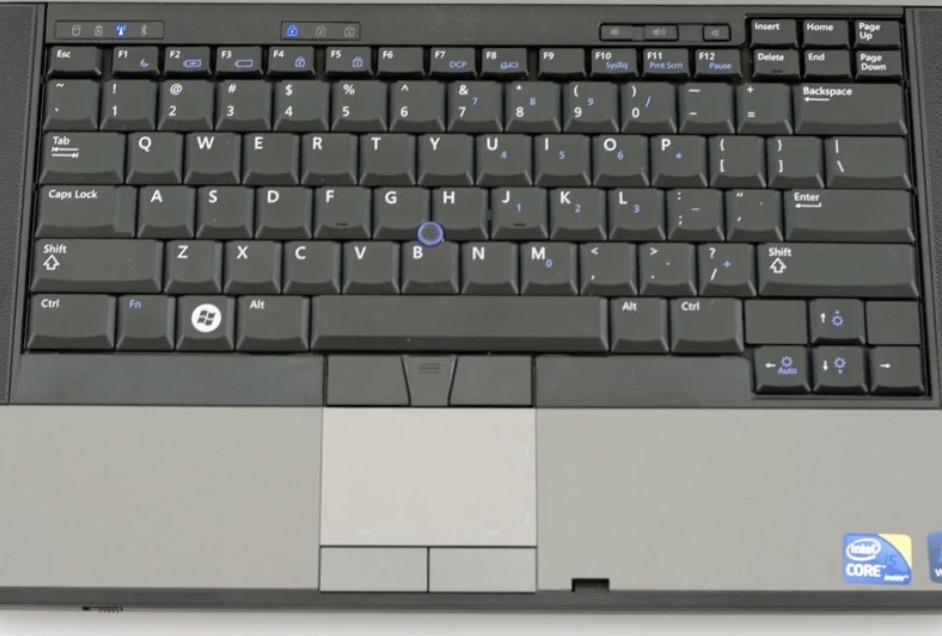
Well, every touchpad is a little different. On an older, “traditional” one like this (sorry, I forget which exact model laptop you have; this is just a random example):
The touchpad has two physical buttons, in addition to the tap-to-click functionality that @puzzlegal mentioned. In that case, yes, usually the left button is left click and the right button is right click, but those can usually be swapped in the drivers (you can go to the Mouse or Touchpad settings to check). (And the top set of buttons are for the “blue nipple”, which is just another mouse-like joystick device thing… Dell copied that from the Thinkpad red ones)
It’s also possible that maybe the touchpad broke in such a way that it’s misinterpreting your taps somehow, hard to say exactly without further diagnostics (and why bother when you have a perfectly functional external mouse anyway?).
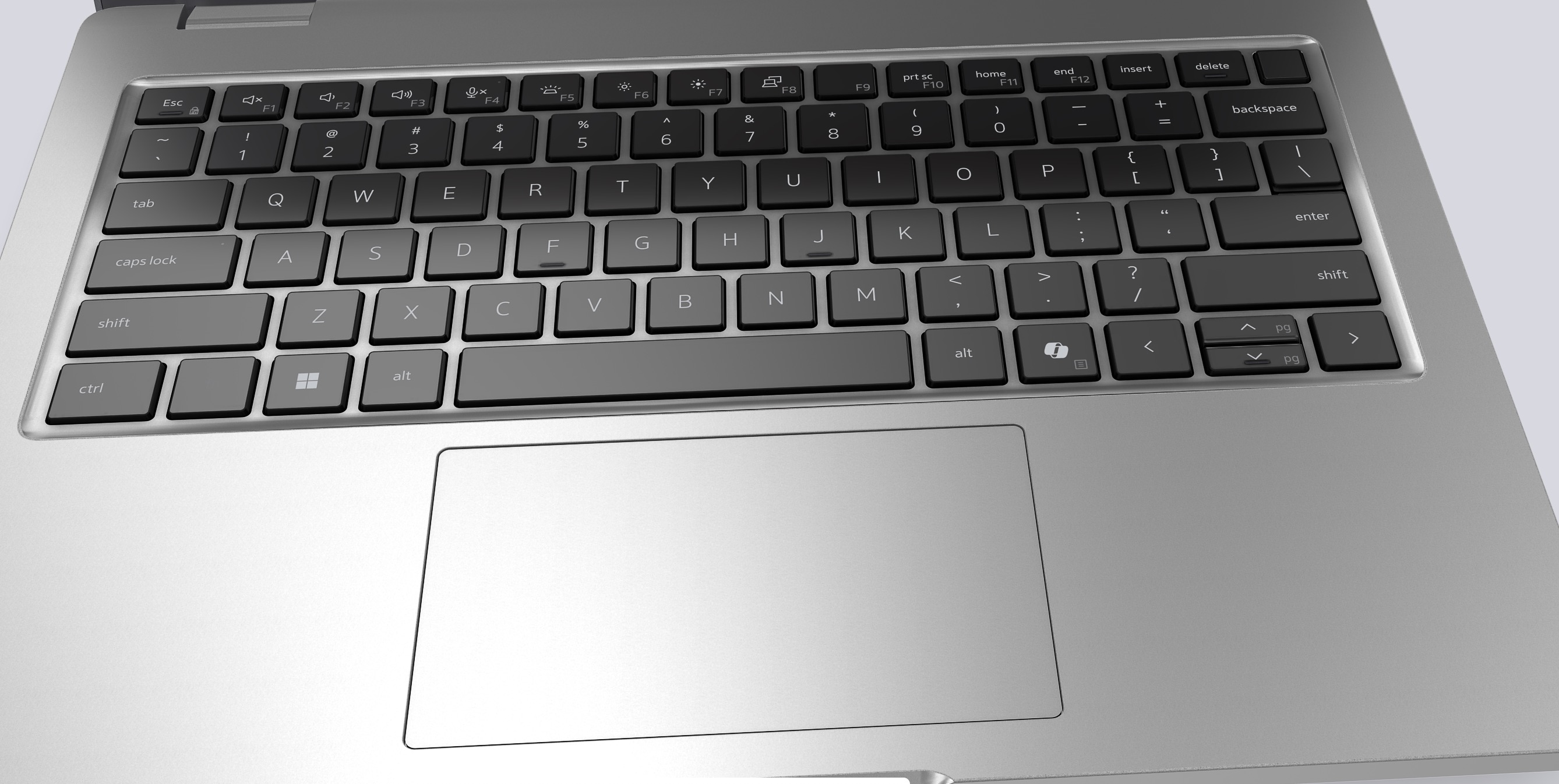
There are also newer touchpads without clear physical buttons, like this, copied from the Macbook designs:
They will usually (but not always) still be tactile and “clickable”, it’s just that the whole thing can be “clicked” left/right instead of having individual buttons below it.
In any case, however, tapping would usually also work as an substitute for clicking down physically — usually a left click, like @puzzlegal said. The only mystery here is why they appear to be swapped for you. It could be physical damage or a setting, hard to say. They’re not usually backwards out of the box. Left should be left, right should be right, and the whole world’s alright unless someone switched them in the settings or it broke in such a way as to confuse the detection circuit somehow.
Are you saying using the Left mouse button to open links and files is backwards from most people?
That’s using the index finger on the Left button or the Scroll Wheel.
Middle finger naturally presses the right button. (It’s further Right than the index finger)
I’m trying to remember my first experience using a mouse.
I originally used a ADM 3A terminal on a Honeywell mainframe and later Dec vt-220 on a VAX-11/780 at work. No mouse.
Eventually we were given PC clones of the classic 8086 IBM PC. Ironically, we ran a software Terminal simulator of, “you guess it” . A Dec vt-100 terminal.
But, we finally had a mouse.
IIRC I always used the left mouse button (as the most important button) on every pc that I ever used.
No, I’m saying that the physical controls — whether it’s a button or a tap — can be remapped in software to be reversed. So the left physical button/tap can be remapped to act as the right one, and vice versa. It’s not physically rewired, just mirrored in software (for the sake of lefties).
Left is still the default for every computer and every trackpad that I’ve ever seen. But it’s easily reversed in the mouse settings.
There also might be a few left-handed ergonomic mice where the buttons are “reversed” by default, but short of those, every ambidextrous or right-handed mouse also just has the left button as the “primary”, as you’d expect.
I have the same touchpad without physical buttons on my Dell work laptop (Latitude 5440), and the touchpad slightly depresses when pressed lower left or lower right, acting sort of like a big rocker switch. Left and right click are both the same as with the mouse—left highlight/select, double click for execute, right click context menu. Single finger tap anywhere on the touchpad is equivalent to left click, including double click, two-finger tap to right click. (Also some gestures, like swiping down to close windows etc.) It’s been this way, at least in general outline, on any laptop I’ve ever used.
I rarely use my Win11 laptop as I only bought it for a few very specific purposes. But I just powered it up now to check on some of these alleged characteristics, and I’m posting on it now.
My touchpad looks like it’s without buttons, but in fact as @Half_Man_Half_Wit states, the lower part of it actually consists of left-click and right-click buttons that work just as with a mouse. If it works differently for the OP it’s undoubtedly an issue of mouse configuration in Control Panel.
I’d either fix it or get a new laptop. I’ve preferred touchpads to mice for decades. Yes, there are a few things that mice are better for, and i keep mice around for those. (Especially gaming.) But for bread and butter use, which for me is web browsing and using spreadsheets, the touch pad is almost always handier.
(That Linux conversion I’ve been talking about in another thread? It occurs to me that i haven’t tested the laptop with a mouse, yet. I’m sure it will work, but i haven’t actually had any cause to want a mouse on it.)
Those little pointing nipples work incredibly well, but they also do a number on my hand, so i can’t use them.