I first noticed it on the Dope where I couldn’t highlight and hit Quote as I used to. Then I noticed I couldn’t highlight on random other sites, whether in Firefox or Chrome.
What’s the deal - is there some new something that I’m not aware of? Could it be my mouse (plugged in optical.) Could it be my PC? It’s a source of frustration…
Nope, we recently did a purge of miscellaneous computer bits. I’m wondering if it’s the PC - it’s been doing other weird things of late. From the answers here, it doesn’t sound like a website issue.
Is this happening in other apps besides web browsers?
Have you tried unplugging the mouse and keyboard and plugging them back in? Closing and opening the web browsers? Restarting your entire computer?
I have a hard time seeing how a mouse issue would cause this: A mouse issue that prevented you from selecting would also prevent other clicking activities. This sounds more like a software problem to me.
I use Edge on Win11. Very occasionally text selection and typing simply quits working in the browser and only the browser. Usually after I’ve opened and closed a couple hundred tabs since the last time the browser was restarted. Since a large fraction of my browsing & tabs are here, it usually manifests at the Dope. But I don’t think it’s caused by the Dope.
Anyhow closing all the browser(s) you may have open then starting a fresh browser instance solves the problem with 100% reliability for me.
As a separate matter to the above …
There are reports that the [quote] pop-up sometimes does not appear when text is selected. I’ve seem it myself. Seems to be a random glitch, but it does sometimes happen almost regardless of device, OS, or browser. Suggesting a Discourse glitch. IME if the popup doesn’t appear, select some different text, then re-select the desired text, and the popup will appear after a couple second delay.
Not necessarily. A microswitch is an electromechanical device in an analog world, and I have seen a mouse button that fails such that “click” works (most of the time) but “click-and-drag” doesn’t (most of the time), simply because the finger pressure profile of clicking the mouse button is subtly different than click-and-hold.
Or the click and hold is slightly intermittent such that your drag ends a couple milliseconds after it begins.
Of course you can’t see what happens when the content is dropped right back where it came from, just a couple pixels (if that far) away; at human speed it just looks like “Hey, drag doesn’t work”
See above - no batteries - the mouse and keyboard are plugged into the PC.
Tried it - supposedly I have the latest drivers.
Tried all of the above. No dice.
[quote=“LSLGuy, post:11, topic:1026092”]
I use Edge on Win11. [/quote]
This machine is not compatible with Win11, so it’s running Win10 - Maybe that has something to do with it. I do occasionally get a blue screen saying something about memory issues… But because of BSOD, it’s been restarted half a dozen time within the last couple of months. Plus I’ve done restarts just because.
Due to the BSOD nonsense, I was thinking I need to take it in for a once-over. So maybe that’s the answer.
What exactly is happening when you can’t highlight? Like, when you hold down the mouse button and drag it across text, what actually happens? Can you record a video (with your phone) or describe it? Does it show a selection highlight but not the “quote” function? Does it not show anything at all?
What happens if you double-click a word or triple-click a paragraph?
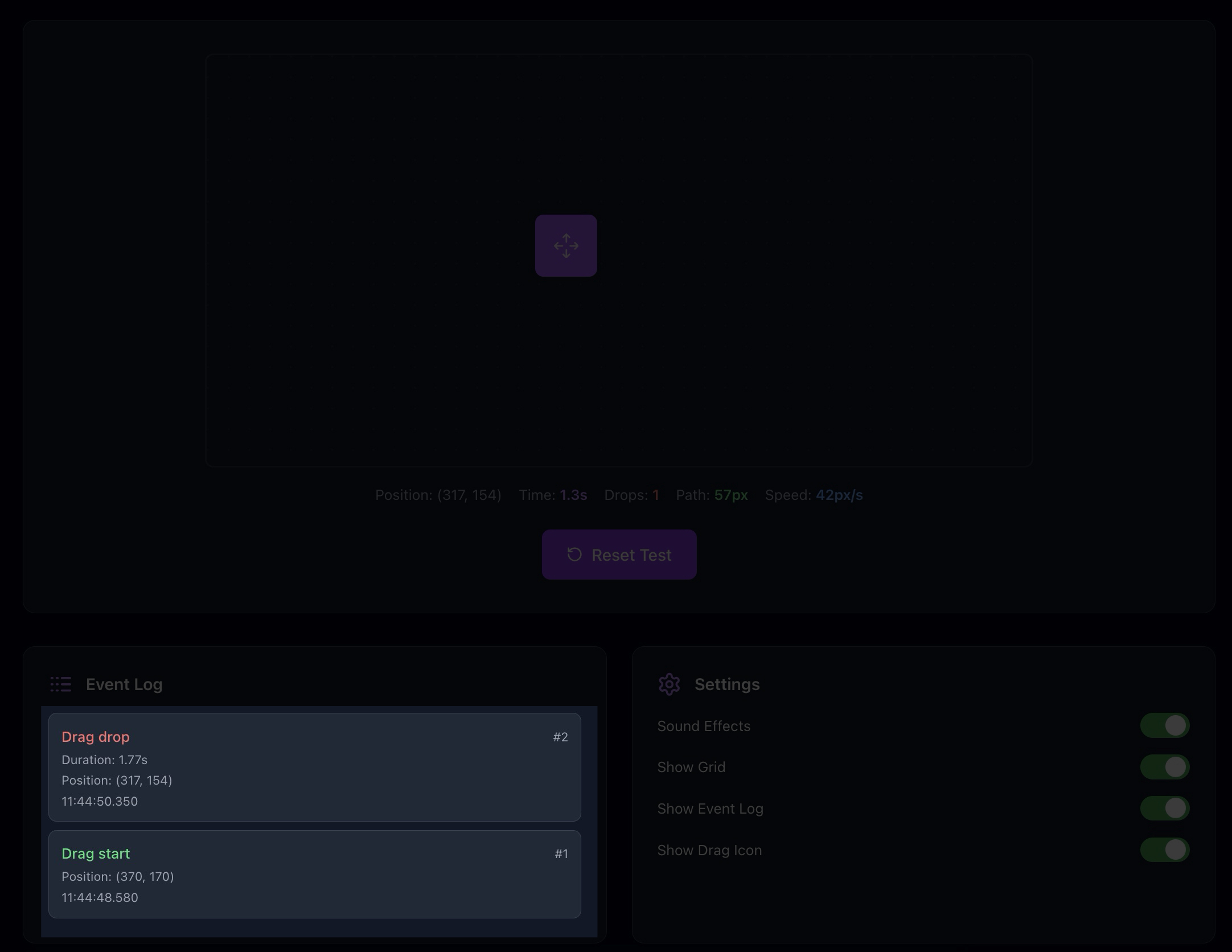
e.g. you should see a “Drag start” in the log when you hold down the mouse button, the drag area should be highlighted purple while you’re dragging, and then you should see a drag drop at the end.
If it works there, then try selecting text on another website (any website). If it works there, but not on the Dope, maybe just try clearing your cache and cookies for the Dope and log back out and in to make sure there isn’t some stale Javascript in your browser cache.
Does text selection work normally outside of your browser, like in MS Word or Notepad?
Or for testing, use the Incognito/Inprivate mode of your browser, or another browser altogether, for testing.
I experienced this recently and almost posted about it. I was able to copy after a few tries but not all the text I was trying to highlight got captured and the quote function didn’t work at all for me. At the time I assumed it was a glitch in the platform.
While we’re at it, why does direct reply not work sometimes? It’s irksome when I want to reply to something posted upthread and it’s hard to follow what I’m responding to.
Edited to add that I clicked the reply button on @FairyChatMom 's post when composing this.
Do you mean why it doesn’t show that you replied to her message?
The “in reply to” indicator is hidden (via a Discourse setting) when your reply is directly under the post you’re replying to. See the thread Could we implement this option ...?
Thanks, that explains it, sort of. I’m not talking about the post directly preceding, but one several posts before. Based on the linked thread, it’s a (dis)function of Discourse and it could be fixed but hasn’t. Did I get that right?
It’s different from your issue (this one only affects immediately preceding posts). But in that case, it’s not a bug but a setting that can be toggled. We just don’t have a Discourse admin who can toggle it. Apparently only Ed Zotti can, but he doesn’t seem to be responding to our Batsignal.